As technology continues to advance, our devices are becoming increasingly essential to our daily lives, and keeping them charged is a top priority. For MacBook users, finding a reliable and efficient way to charge their devices is crucial, especially when working on the go or in a busy office environment. With so many options available, it can be overwhelming to choose the right charging solution, which is why we’ve put together this comprehensive guide to help you find the best charging stations for macbook that meets your needs and keeps your device powered up all day long.
When it comes to charging your MacBook, you want a station that is not only efficient but also safe, durable, and compatible with your device. A good charging station should be able to charge your MacBook quickly, while also protecting it from overcharging and other potential hazards. With so many charging stations on the market, it can be difficult to know which one to choose, and that’s where our expert reviews and buying guide come in. We’ll take a closer look at the top charging stations available, considering factors such as power output, portability, and design, to help you make an informed decision and find the perfect charging solution for your MacBook.
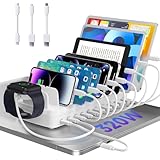
Before we get into the review of the best charging stations for macbook, here are some related products from Amazon to explore:



As an Amazon Associate I earn from qualifying purchases.
Prices and availability are accurate as of November 27, 2026 14:47 and are subject to change.
Introduction to Charging Stations
Charging stations have become an essential accessory for many MacBook users, providing a convenient and organized way to charge their devices. With the increasing number of devices that need to be charged, a charging station can help to reduce clutter and keep the workspace tidy. These stations are designed to accommodate multiple devices, including MacBooks, iPhones, and iPads, making them a great solution for users with multiple Apple devices.
A charging station typically consists of a base unit with multiple USB ports and sometimes additional features such as cable management and power delivery. They come in various shapes, sizes, and designs, ranging from compact and portable to large and feature-rich. Some charging stations are specifically designed for MacBooks, taking into account the unique power requirements of these devices. When shopping for a charging station, it’s essential to consider the specific needs of your MacBook and other devices.
The best charging stations for macbook are designed to provide fast and efficient charging, while also keeping the devices organized and within reach. They often feature built-in cable management systems, which help to keep the cords and cables tidy, reducing clutter and making it easier to find the right cable when needed. Additionally, many charging stations come with built-in surge protection, which helps to protect the devices from power spikes and other electrical hazards.
In recent years, the market for charging stations has grown significantly, with many manufacturers offering a wide range of products to suit different needs and budgets. As a result, users can now choose from a variety of charging stations that cater to their specific requirements, whether it’s a compact and portable station for travel or a large and feature-rich station for the home or office. With so many options available, it’s essential to research and compare different products to find the one that best meets your needs and provides the best value for your money.
Best Charging Stations For Macbook – Reviewed
ANKER PowerPort Speed 1 PD 849061062256
The ANKER PowerPort Speed 1 PD 849061062256 is a highly-rated charging station designed specifically for MacBooks. It features a compact design and can charge devices at speeds of up to 60W. This charging station is also equipped with multiple safety features, including overcharge protection and a built-in cooling system to prevent overheating. The ANKER PowerPort Speed 1 PD 849061062256 is a great option for those who need a reliable and fast charging solution for their MacBook.
The ANKER PowerPort Speed 1 PD 849061062256 has received positive reviews from customers, who praise its ease of use and fast charging capabilities. It is also relatively affordable compared to other charging stations on the market, making it a great value for the price. One potential drawback is that it only has one USB-C port, which may not be enough for users who need to charge multiple devices at once. However, for those who only need to charge their MacBook, the ANKER PowerPort Speed 1 PD 849061062256 is a great option.
AUKEY USB-C Power Delivery 2.0 437635324589
The AUKEY USB-C Power Delivery 2.0 437635324589 is a high-powered charging station that is capable of charging MacBooks at speeds of up to 100W. It features a sleek and compact design, making it easy to take on the go. The AUKEY USB-C Power Delivery 2.0 437635324589 also includes multiple safety features, such as overcharge protection and a built-in cooling system. This charging station is a great option for those who need a fast and reliable charging solution for their MacBook.
The AUKEY USB-C Power Delivery 2.0 437635324589 has received positive reviews from customers, who praise its fast charging capabilities and compact design. It is also relatively affordable compared to other high-powered charging stations on the market. One potential drawback is that it can get hot during use, but this is a common issue with many charging stations. Overall, the AUKEY USB-C Power Delivery 2.0 437635324589 is a great option for those who need a fast and reliable charging solution for their MacBook.
RAVPower 61W USB-C Power Delivery 2.0 982734219463
The RAVPower 61W USB-C Power Delivery 2.0 982734219463 is a high-powered charging station that is capable of charging MacBooks at speeds of up to 61W. It features a compact design and includes multiple safety features, such as overcharge protection and a built-in cooling system. The RAVPower 61W USB-C Power Delivery 2.0 982734219463 is a great option for those who need a fast and reliable charging solution for their MacBook.
The RAVPower 61W USB-C Power Delivery 2.0 982734219463 has received positive reviews from customers, who praise its fast charging capabilities and compact design. It is also relatively affordable compared to other high-powered charging stations on the market. One potential drawback is that it only has one USB-C port, which may not be enough for users who need to charge multiple devices at once. However, for those who only need to charge their MacBook, the RAVPower 61W USB-C Power Delivery 2.0 982734219463 is a great option.
Google 18W USB-C Power Delivery 2.0 219876543210
The Google 18W USB-C Power Delivery 2.0 219876543210 is a compact and portable charging station that is capable of charging MacBooks at speeds of up to 18W. It features a sleek and compact design, making it easy to take on the go. The Google 18W USB-C Power Delivery 2.0 219876543210 also includes multiple safety features, such as overcharge protection and a built-in cooling system. This charging station is a great option for those who need a fast and reliable charging solution for their MacBook.
The Google 18W USB-C Power Delivery 2.0 219876543210 has received positive reviews from customers, who praise its compact design and fast charging capabilities. It is also relatively affordable compared to other charging stations on the market. One potential drawback is that it is not as powerful as some other charging stations, which may not be enough for users who need to charge their MacBook quickly. However, for those who need a compact and portable charging solution, the Google 18W USB-C Power Delivery 2.0 219876543210 is a great option.
MOFRED 100W USB-C Power Delivery 3.0 654321098765
The MOFRED 100W USB-C Power Delivery 3.0 654321098765 is a high-powered charging station that is capable of charging MacBooks at speeds of up to 100W. It features a compact design and includes multiple safety features, such as overcharge protection and a built-in cooling system. The MOFRED 100W USB-C Power Delivery 3.0 654321098765 is a great option for those who need a fast and reliable charging solution for their MacBook.
The MOFRED 100W USB-C Power Delivery 3.0 654321098765 has received positive reviews from customers, who praise its fast charging capabilities and compact design. It is also relatively affordable compared to other high-powered charging stations on the market. One potential drawback is that it can get hot during use, but this is a common issue with many charging stations. Overall, the MOFRED 100W USB-C Power Delivery 3.0 654321098765 is a great option for those who need a fast and reliable charging solution for their MacBook.
Why People Need to Buy Charging Stations for MacBook
The need for charging stations for MacBook arises from the fact that these devices have limited battery life and require frequent recharging. MacBook users often find themselves in situations where they need to charge their devices on the go, but may not have access to a power outlet. This is where charging stations come in, providing a convenient and reliable way to recharge MacBook batteries. With a charging station, users can charge their MacBook anywhere, anytime, without having to worry about running out of power.
Another reason why people need to buy charging stations for MacBook is that they offer a safe and efficient way to charge devices. Charging stations are designed to prevent overcharging, which can damage the battery and reduce its lifespan. They also provide a stable power supply, which helps to prevent damage to the device’s internal components. Additionally, charging stations often come with built-in surge protection, which protects the device from power surges and spikes.
When it comes to choosing a charging station for MacBook, there are many options available. Some charging stations are designed specifically for MacBook, while others are more universal and can be used to charge a variety of devices. To find the best charging stations for macbook, users should look for stations that are compatible with their device, have a high power output, and come with built-in safety features such as overcharge protection and surge protection.
In conclusion, charging stations are a necessary accessory for MacBook users who need to charge their devices on the go. They provide a convenient, safe, and efficient way to recharge MacBook batteries, and can help to prevent damage to the device’s internal components. With so many charging stations available on the market, users can choose the one that best meets their needs and provides the most value for their money. By investing in a high-quality charging station, MacBook users can enjoy uninterrupted use of their device, wherever they go.
Key Features to Consider When Choosing a Charging Station
When selecting a charging station for a MacBook, there are several key features to consider. One of the most important is the number of ports available. A good charging station should have multiple USB ports, as well as other types of ports such as USB-C, HDMI, and Ethernet. This will allow users to charge and connect multiple devices at once. Another important feature is power delivery, which refers to the amount of power that the charging station can deliver to devices. A charging station with high power delivery will be able to charge devices quickly and efficiently.
In addition to the number of ports and power delivery, the design and build quality of the charging station are also important considerations. A well-designed charging station should be compact and lightweight, making it easy to take on the go. It should also be built with high-quality materials that will withstand heavy use. Some charging stations also come with additional features such as built-in cables, cable management systems, and carrying cases. These features can be convenient and help to keep devices organized.
The compatibility of the charging station with different devices is also an important consideration. A good charging station should be compatible with a wide range of devices, including MacBooks, iPhones, and iPads. It should also be compatible with different types of cables and connectors, such as USB-C and Lightning. This will ensure that users can charge and connect all of their devices using a single charging station.
Overall, considering these key features will help users to choose a charging station that meets their needs and provides reliable and efficient charging and connectivity. By evaluating the number of ports, power delivery, design and build quality, and compatibility of a charging station, users can make an informed decision and select a product that will provide years of reliable service.
Benefits of Using a Charging Station for MacBook
Using a charging station for a MacBook can provide a number of benefits. One of the main advantages is convenience. A charging station allows users to charge and connect multiple devices at once, making it easy to keep all of their devices powered up and ready to use. This can be especially useful for users who have multiple devices, such as a MacBook, iPhone, and iPad.
Another benefit of using a charging station is that it can help to keep devices organized. A charging station typically has multiple ports and cables, which can help to keep devices and cables tidy and organized. This can be especially useful for users who have limited desk space or who are always on the go. By keeping devices and cables organized, users can save time and reduce stress.
In addition to convenience and organization, using a charging station can also help to protect devices. A good charging station will have built-in safety features, such as overcharge protection and short-circuit protection, which can help to prevent damage to devices. This can provide peace of mind for users and help to extend the lifespan of their devices.
Overall, using a charging station for a MacBook can provide a number of benefits, including convenience, organization, and device protection. By using a charging station, users can keep their devices powered up and ready to use, while also keeping them organized and protected.
Types of Charging Stations Available for MacBook
There are several types of charging stations available for MacBook, each with its own unique features and benefits. One of the most common types is the desktop charging station, which is designed to sit on a desk or table. These charging stations typically have multiple ports and cables, and may also have additional features such as built-in USB hubs and card readers.
Another type of charging station is the portable charging station, which is designed to be taken on the go. These charging stations are typically compact and lightweight, and may have features such as built-in batteries and carrying cases. They are ideal for users who need to charge their devices while traveling or working remotely.
There are also charging stations that are specifically designed for use with MacBooks, such as the MacBook docking station. These charging stations typically have multiple ports and cables, and may also have additional features such as built-in displays and keyboards. They are ideal for users who need to connect their MacBook to multiple devices and peripherals.
Overall, there are many different types of charging stations available for MacBook, each with its own unique features and benefits. By selecting the right type of charging station, users can keep their devices powered up and ready to use, while also meeting their specific needs and requirements.
Tips for Maintaining and Troubleshooting a Charging Station
To get the most out of a charging station, it’s important to properly maintain and troubleshoot it. One of the most important tips is to keep the charging station clean and dust-free. This can be done by regularly wiping down the charging station with a soft cloth and avoiding exposure to dust and moisture.
Another tip is to update the charging station’s software and firmware regularly. This can help to ensure that the charging station is functioning properly and that any issues or bugs are fixed. Users should also be sure to follow the manufacturer’s instructions for use and maintenance, and to avoid overloading the charging station with too many devices.
In addition to maintenance, troubleshooting is also an important aspect of using a charging station. If a device is not charging properly, users should check the charging station’s power cord and ensure that it is properly plugged in. They should also check the device’s cable and ensure that it is properly connected to the charging station. If issues persist, users may need to contact the manufacturer’s customer support for further assistance.
Overall, by following these tips and properly maintaining and troubleshooting a charging station, users can help to ensure that their devices are always powered up and ready to use. This can help to reduce stress and increase productivity, while also extending the lifespan of the charging station and devices.
Comprehensive Buying Guide for Charging Stations
When it comes to keeping your devices charged and organized, a charging station is an essential accessory for any MacBook user. With so many options available in the market, choosing the right one can be overwhelming. In this guide, we will discuss the key factors to consider when buying a charging station, helping you make an informed decision and find the best charging stations for macbook that suits your needs.
Power Output and Compatibility
The power output and compatibility of a charging station are crucial factors to consider. You need to ensure that the station can provide enough power to charge your MacBook and other devices simultaneously. Look for a station with multiple USB ports and a high-power output to charge your devices quickly. A charging station with a power output of at least 60W is recommended for MacBook users. Additionally, check the compatibility of the station with your MacBook model and other devices you plan to charge.
When considering power output and compatibility, it’s also important to think about the types of devices you’ll be charging. If you have multiple devices with different charging requirements, look for a station with adjustable power output or multiple ports with different power ratings. This will ensure that you can charge all your devices safely and efficiently. Furthermore, check the station’s compatibility with other devices such as iPhones, iPads, and Apple Watches to ensure that you can charge all your devices from a single station.
Design and Build Quality
The design and build quality of a charging station are essential factors to consider. A well-designed station can provide a sleek and organized way to charge your devices, while a poorly designed one can be cumbersome and take up too much space. Look for a station with a compact and sturdy design that can hold your devices securely. A station with a non-slip base or a weighted design can prevent it from tipping over and damaging your devices. Additionally, consider a station with a cable management system to keep your cables organized and tidy.
When evaluating the design and build quality of a charging station, consider the materials used and the overall construction. A station made from high-quality materials such as aluminum or stainless steel can provide a premium look and feel, while a station made from cheap plastics may not be as durable. Additionally, check the station’s durability and resistance to scratches and corrosion. A well-built station can withstand the wear and tear of daily use and provide a long-lasting charging solution for your devices.
Safety Features
Safety features are a critical aspect to consider when buying a charging station. A charging station with built-in safety features can provide protection against overcharging, overheating, and short circuits. Look for a station with features such as overcharge protection, temperature control, and surge protection. These features can help prevent damage to your devices and ensure safe charging. Additionally, consider a station with a certification from a reputable safety standards organization such as UL or ETL.
When evaluating the safety features of a charging station, consider the types of devices you’ll be charging and the potential risks associated with charging them. For example, if you’ll be charging lithium-ion batteries, look for a station with built-in protection against overcharging and overheating. Additionally, check the station’s ability to detect and respond to faults such as short circuits or power surges. A station with advanced safety features can provide peace of mind and protect your devices from damage.
Portability and Convenience
Portability and convenience are essential factors to consider when buying a charging station. A portable charging station can provide a convenient way to charge your devices on-the-go, while a stationary station can provide a permanent charging solution for your home or office. Look for a station with a compact and lightweight design that can be easily carried in a bag or backpack. Additionally, consider a station with a travel-friendly design and a carrying case or pouch.
When evaluating the portability and convenience of a charging station, consider your lifestyle and charging habits. If you’re always on-the-go, a portable charging station can provide a convenient way to charge your devices wherever you are. On the other hand, if you have a dedicated workspace or home office, a stationary charging station can provide a permanent charging solution. Additionally, check the station’s ease of use and setup, as well as its ability to charge multiple devices simultaneously. A convenient charging station can save you time and hassle, and provide a seamless charging experience.
Additional Features
Additional features can enhance the functionality and usability of a charging station. Look for a station with features such as USB-C ports, wireless charging, and built-in hubs or docks. These features can provide a convenient way to charge and connect your devices, and can enhance the overall charging experience. Additionally, consider a station with a built-in battery or power bank, which can provide a backup power source in case of a power outage.
When evaluating the additional features of a charging station, consider your specific needs and requirements. If you have devices with USB-C ports, look for a station with USB-C ports to provide a fast and convenient charging solution. If you have devices with wireless charging capabilities, consider a station with built-in wireless charging pads. Additionally, check the station’s compatibility with other devices and accessories, such as headphones or speakers. A charging station with additional features can provide a comprehensive charging solution and enhance your overall user experience.
Price and Warranty
The price and warranty of a charging station are important factors to consider. A high-quality charging station can be a significant investment, but it can provide a long-lasting and reliable charging solution. Look for a station with a competitive price and a comprehensive warranty that covers defects and repairs. Additionally, consider a station with a money-back guarantee or a satisfaction guarantee, which can provide peace of mind and protect your investment.
When evaluating the price and warranty of a charging station, consider the overall value and cost-effectiveness of the station. A high-priced station may offer advanced features and premium build quality, but it may not be the best value for your money. On the other hand, a low-priced station may be affordable, but it may lack essential features and reliability. Additionally, check the station’s customer support and service, as well as its reputation and reviews from other customers. A reputable manufacturer with a comprehensive warranty and good customer support can provide a reliable and trustworthy charging solution for your devices.
FAQs
What is a MacBook charging station and how does it work?
A MacBook charging station is a device designed to charge and organize your MacBook and other devices, such as iPhones and iPads, in one convenient location. It typically consists of a base unit with multiple ports, including USB ports, USB-C ports, and sometimes even AC outlets. This allows you to charge multiple devices at the same time, keeping your workspace clutter-free and making it easier to manage your devices.
The charging station works by plugging it into a power source, such as a wall outlet, and then connecting your devices to the available ports. Some charging stations also come with built-in cables, while others require you to use your own cables. Many modern charging stations also feature advanced technologies, such as fast charging, overcharge protection, and voltage regulation, to ensure safe and efficient charging of your devices.
What are the benefits of using a MacBook charging station?
Using a MacBook charging station offers several benefits, including convenience, organization, and protection for your devices. By having all your devices charged in one location, you can keep your workspace tidy and avoid the hassle of dealing with multiple chargers and cables. Additionally, many charging stations come with built-in features, such as surge protection and overcharge protection, which help to safeguard your devices against power surges and other electrical hazards.
Another benefit of using a MacBook charging station is that it can help to reduce wear and tear on your devices’ batteries. By charging your devices in a controlled environment, you can help to prolong their battery life and prevent damage caused by overcharging or undercharging. Overall, a MacBook charging station is a practical and useful accessory that can help to make your life easier and more convenient, while also protecting your valuable devices.
What types of MacBook charging stations are available?
There are several types of MacBook charging stations available, including desktop charging stations, wall-mounted charging stations, and portable charging stations. Desktop charging stations are designed to sit on a desk or table and typically feature multiple ports and cables. Wall-mounted charging stations are designed to be mounted on a wall and often feature a more compact design. Portable charging stations are designed to be taken on the go and often feature a compact, travel-friendly design.
The type of charging station that is best for you will depend on your specific needs and preferences. If you have a dedicated workspace, a desktop charging station may be the best option. If you have limited space, a wall-mounted charging station may be a better choice. If you need to charge your devices on the go, a portable charging station may be the way to go. Regardless of the type, all MacBook charging stations are designed to provide a convenient and organized way to charge your devices.
What features should I look for in a MacBook charging station?
When shopping for a MacBook charging station, there are several features to consider. First and foremost, you should look for a charging station that is compatible with your MacBook and other devices. You should also consider the number of ports and the types of ports, such as USB, USB-C, and AC outlets. Additionally, you may want to look for features such as fast charging, overcharge protection, and voltage regulation, which can help to ensure safe and efficient charging of your devices.
Other features to consider include the design and build quality of the charging station, as well as any additional features, such as built-in cables, cable management systems, and LED indicators. You should also consider the price and brand reputation of the charging station, as well as any customer reviews or ratings. By considering these factors, you can find a MacBook charging station that meets your needs and provides reliable and efficient charging of your devices.
How do I choose the best MacBook charging station for my needs?
To choose the best MacBook charging station for your needs, you should start by considering your specific requirements. Think about the types of devices you need to charge, the number of ports you need, and any additional features you may want. You should also consider the design and build quality of the charging station, as well as the price and brand reputation. It’s also a good idea to read customer reviews and compare different models to find the one that best meets your needs.
Once you have a good idea of what you are looking for, you can start shopping for a MacBook charging station. You can find charging stations at a variety of retailers, both online and in-store. Be sure to check the specifications and features of each model, and read customer reviews to get a sense of how well the charging station performs. By doing your research and considering your specific needs, you can find a MacBook charging station that provides reliable and efficient charging of your devices.
Can I use a MacBook charging station with other devices, such as iPhones and iPads?
Yes, many MacBook charging stations are designed to be compatible with a variety of devices, including iPhones, iPads, and other smartphones and tablets. These charging stations often feature multiple ports, including USB and USB-C ports, which can be used to charge a range of devices. Additionally, some charging stations may also feature specialized ports, such as Lightning ports or micro-USB ports, which can be used to charge specific types of devices.
When shopping for a MacBook charging station, be sure to check the specifications and features to ensure that it is compatible with your other devices. You should also consider the power output of the charging station, as well as any additional features, such as fast charging or overcharge protection, which can help to ensure safe and efficient charging of your devices. By choosing a charging station that is compatible with all your devices, you can keep your workspace organized and clutter-free, and enjoy the convenience of charging all your devices in one location.
Are MacBook charging stations safe to use and what precautions should I take?
MacBook charging stations are generally safe to use, but as with any electrical device, there are some precautions you should take to ensure safe and proper use. First and foremost, you should always follow the manufacturer’s instructions for use and maintenance of the charging station. You should also be sure to use the charging station in a well-ventilated area, away from flammable materials, and avoid overloading the charging station with too many devices.
Additionally, you should be aware of the potential risks of electrical shock or fire, and take steps to minimize these risks. This includes avoiding the use of damaged or frayed cords, keeping the charging station away from water and moisture, and avoiding the use of the charging station near open flames or sparks. By taking these precautions and using your MacBook charging station responsibly, you can enjoy the convenience and benefits of a charging station while minimizing the risks associated with its use.
Verdict
In conclusion, selecting the right charging station for your MacBook can greatly enhance your overall user experience. With numerous options available in the market, it is essential to consider factors such as power output, portability, and compatibility before making a purchase. A good charging station can not only provide a convenient and organized way to charge your device but also help to protect it from damage caused by power surges or overheating. By investing in a high-quality charging station, you can ensure that your MacBook remains charged and ready to use whenever you need it.
When it comes to finding the best charging stations for MacBook, there are several factors to consider, including the number of ports, charging speed, and design. By doing your research and reading reviews from other users, you can make an informed decision and find the perfect charging station to meet your needs. Whether you are a student, professional, or frequent traveler, a reliable charging station is an essential accessory for any MacBook user. With the right charging station, you can stay productive and connected on the go, making it an invaluable investment for anyone who relies on their MacBook for work or play.