As technology continues to advance, the way we interact with our computers is evolving, and wireless peripherals have become increasingly popular. The freedom to work or play without being tethered to a desk is a game-changer, and many Mac users are on the hunt for reliable and efficient wireless accessories. With so many options available on the market, it can be overwhelming to choose the right ones, especially when it comes to finding products that are compatible with Mac devices. Whether you’re a graphic designer, a gamer, or simply someone who wants to upgrade their computing experience, finding the perfect wireless accessories can make all the difference.
For Mac users, finding the best wireless mice and keyboards for mac is crucial for a seamless and productive computing experience. When shopping for wireless peripherals, there are several factors to consider, including battery life, connectivity, and design. With so many options available, it’s essential to do your research and read reviews to find the products that best fit your needs and budget. In this article, we’ll explore the top wireless mice and keyboards that are compatible with Mac devices, highlighting their features, pros, and cons, to help you make an informed decision and take your computing experience to the next level. Whether you’re looking for a budget-friendly option or a high-end product with advanced features, we’ve got you covered.
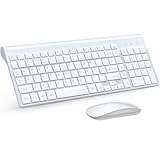
Before we get into the review of the best wireless mice and keyboards for mac, here are some related products from Amazon to explore:




As an Amazon Associate I earn from qualifying purchases.
Prices and availability are accurate as of November 28, 2026 15:19 and are subject to change.
Introduction to Wireless Mice and Keyboards for Mac
Wireless mice and keyboards have become increasingly popular among Mac users due to their convenience and ease of use. These devices offer a clutter-free workspace and allow users to work from a distance, making them ideal for presentations, meetings, and everyday use. With a wide range of options available in the market, it can be overwhelming to choose the right one that meets your needs.
When it comes to wireless mice and keyboards for Mac, compatibility is a crucial factor to consider. Mac users require devices that are specifically designed to work seamlessly with their operating system. Many manufacturers offer wireless mice and keyboards that are compatible with Mac, but it’s essential to check the specifications before making a purchase. Additionally, factors such as battery life, ergonomics, and durability also play a significant role in determining the best device for your needs.
The best wireless mice and keyboards for Mac offer a range of features that enhance the overall user experience. These devices often come with advanced features such as gesture recognition, customizable buttons, and long battery life. Some wireless mice and keyboards also offer Bluetooth connectivity, making it easy to pair them with your Mac. With so many options available, it’s essential to research and compare different devices to find the one that best suits your needs and preferences.
In recent years, there has been a significant increase in the demand for wireless mice and keyboards, and manufacturers have responded by introducing a wide range of devices that cater to different needs and budgets. Whether you’re a gamer, a graphic designer, or a casual user, there’s a wireless mouse and keyboard out there that’s designed to meet your specific requirements. By considering factors such as compatibility, features, and price, you can find the best wireless mice and keyboards for mac that enhance your overall computing experience.
Top 5 Best Wireless Mice And Keyboards For Mac
Logitech MX Master 3 Mouse S001
The Logitech MX Master 3 Mouse S001 is a top-of-the-line wireless mouse designed specifically for Mac users. It features a sleek and ergonomic design, making it comfortable to hold and use for extended periods. The mouse has a high-precision sensor that provides accurate tracking and navigation, and it also features a unique thumb wheel that allows for easy scrolling and navigation.
One of the standout features of the Logitech MX Master 3 Mouse S001 is its long battery life, which can last up to 70 days on a single charge. It also features a fast recharge option, which can provide up to 3 hours of use with just a 1-minute charge. The mouse is also compatible with a range of Mac devices, including MacBook, MacBook Air, and MacBook Pro, and it can be easily paired using Bluetooth or the Logitech Options software.
Apple Magic Keyboard K023
The Apple Magic Keyboard K023 is a wireless keyboard designed specifically for Mac users. It features a sleek and compact design, making it easy to take on the go, and it has a range of features that make it easy to use and navigate. The keyboard has a built-in rechargeable battery that can last up to a month on a single charge, and it can be easily paired with Mac devices using Bluetooth.
One of the standout features of the Apple Magic Keyboard K023 is its ease of use. The keyboard has a range of shortcut keys that make it easy to navigate and use Mac applications, and it also features a built-in dictionary and thesaurus. The keyboard is also compatible with a range of Mac devices, including MacBook, MacBook Air, and MacBook Pro, and it can be easily paired using Bluetooth. Overall, the Apple Magic Keyboard K023 is a great option for Mac users who want a wireless keyboard that is easy to use and navigate.
Logitech K380 Multi-Device Bluetooth Keyboard K045
The Logitech K380 Multi-Device Bluetooth Keyboard K045 is a versatile wireless keyboard that can be used with a range of devices, including Mac, iPad, and iPhone. It features a compact and lightweight design, making it easy to take on the go, and it has a range of features that make it easy to use and navigate. The keyboard has a built-in battery that can last up to 2 years on a single set of batteries, and it can be easily paired with devices using Bluetooth.
One of the standout features of the Logitech K380 Multi-Device Bluetooth Keyboard K045 is its ability to connect to multiple devices at once. The keyboard can be paired with up to 3 devices, making it easy to switch between Mac, iPad, and iPhone. The keyboard also features a range of shortcut keys that make it easy to navigate and use applications, and it is compatible with a range of Mac devices, including MacBook, MacBook Air, and MacBook Pro.
Microsoft Sculpt Ergonomic Mouse M001
The Microsoft Sculpt Ergonomic Mouse M001 is a wireless mouse designed to provide comfort and support for Mac users. It features a unique ergonomic design that is shaped to fit the natural curve of the hand, making it comfortable to hold and use for extended periods. The mouse has a high-precision sensor that provides accurate tracking and navigation, and it also features a range of buttons that can be customized to perform different actions.
One of the standout features of the Microsoft Sculpt Ergonomic Mouse M001 is its ergonomic design. The mouse is designed to reduce strain and discomfort in the hand and wrist, making it a great option for Mac users who spend long hours working on their computer. The mouse is also compatible with a range of Mac devices, including MacBook, MacBook Air, and MacBook Pro, and it can be easily paired using Bluetooth or the Microsoft Mouse and Keyboard Center software.
Anker Vertical Ergonomic Optical Mouse M017
The Anker Vertical Ergonomic Optical Mouse M017 is a wireless mouse designed to provide comfort and support for Mac users. It features a unique vertical design that is shaped to fit the natural position of the hand, making it comfortable to hold and use for extended periods. The mouse has a high-precision sensor that provides accurate tracking and navigation, and it also features a range of buttons that can be customized to perform different actions.
One of the standout features of the Anker Vertical Ergonomic Optical Mouse M017 is its affordability. The mouse is priced lower than many other wireless mice on the market, making it a great option for Mac users who are on a budget. The mouse is also compatible with a range of Mac devices, including MacBook, MacBook Air, and MacBook Pro, and it can be easily paired using Bluetooth or the Anker software. Overall, the Anker Vertical Ergonomic Optical Mouse M017 is a great option for Mac users who want a comfortable and affordable wireless mouse.
Why People Need to Buy Wireless Mice and Keyboards for Mac
Using a Mac can be a seamless and enjoyable experience, especially when paired with the right peripherals. One of the most essential aspects of a comfortable computing experience is having a reliable and efficient input device. Traditional wired mice and keyboards can be restrictive and cluttered, which is why many users opt for wireless alternatives. Wireless devices offer more freedom and flexibility, allowing users to work or play from any location without being tethered to their computer.
In addition to the convenience they offer, wireless mice and keyboards can also improve productivity and reduce distractions. With a wireless mouse, users can move around their workspace without being restricted by a cord, and a wireless keyboard can be placed in a more ergonomic position to reduce strain on the wrists and hands. This can lead to a more comfortable and efficient working experience, which is essential for users who spend long hours working on their Mac.
When it comes to choosing the right wireless peripherals for a Mac, there are many options available. The best wireless mice and keyboards for mac offer a combination of reliability, accuracy, and style, making them a great addition to any Mac setup. By investing in a high-quality wireless mouse and keyboard, users can enhance their overall computing experience and enjoy a more seamless and intuitive interaction with their Mac.
Overall, buying wireless mice and keyboards for Mac is a great way to upgrade the computing experience and enjoy more freedom and flexibility. With the many benefits they offer, including improved productivity and reduced clutter, it’s no wonder why many Mac users are making the switch to wireless peripherals. By doing so, users can create a more comfortable and efficient workspace that allows them to work and play with ease, making the most of their Mac’s capabilities.
Benefits of Using Wireless Mice and Keyboards with Mac
Wireless mice and keyboards offer a range of benefits for Mac users, including increased mobility and flexibility. With a wireless mouse and keyboard, users can work from anywhere in the room, without being tethered to their computer. This can be especially useful for presentations, meetings, and collaborative work. Additionally, wireless mice and keyboards can help to reduce clutter and improve the overall aesthetic of a workspace.
Another benefit of wireless mice and keyboards is that they can be easily shared between multiple computers. This can be useful in a home or office setting where multiple Macs are in use. Many wireless mice and keyboards also come with long battery life, with some lasting up to several years on a single set of batteries. This can help to reduce waste and save users money in the long run.
In addition to these practical benefits, wireless mice and keyboards can also provide a range of features and functions that can enhance the user experience. For example, some wireless mice come with advanced tracking technology, such as optical or laser tracking, which can provide more accurate and precise cursor control. Some wireless keyboards also come with features such as backlighting, media controls, and programmable keys.
Overall, the benefits of using wireless mice and keyboards with Mac are numerous. From increased mobility and flexibility to advanced features and functions, wireless mice and keyboards can help to improve the user experience and enhance productivity. Whether you’re a student, professional, or simply a Mac enthusiast, a wireless mouse and keyboard can be a great addition to your setup.
Factors to Consider When Choosing a Wireless Mouse and Keyboard for Mac
When choosing a wireless mouse and keyboard for Mac, there are several factors to consider. One of the most important is compatibility. Not all wireless mice and keyboards are compatible with Mac, so it’s essential to check that the device you choose is compatible with your computer. Another factor to consider is the type of wireless technology used. There are several types of wireless technology available, including Bluetooth, radio frequency (RF), and Wi-Fi.
Another factor to consider is the battery life of the device. If you plan to use your wireless mouse and keyboard frequently, you’ll want to choose a device with a long battery life. Some wireless mice and keyboards come with rechargeable batteries, while others require disposable batteries. You should also consider the ergonomics of the device, as a comfortable and ergonomic design can help to reduce fatigue and improve productivity.
In addition to these factors, you should also consider the features and functions of the device. For example, do you need a mouse with advanced tracking technology, or a keyboard with media controls and programmable keys? Do you need a device with a compact and portable design, or a device with a more traditional and ergonomic design? By considering these factors, you can choose a wireless mouse and keyboard that meets your needs and enhances your user experience.
When choosing a wireless mouse and keyboard for Mac, it’s also a good idea to read reviews and do your research. Look for devices that have received positive reviews from other users, and check the manufacturer’s website for information on compatibility, features, and battery life. By doing your research and considering these factors, you can choose a wireless mouse and keyboard that is reliable, efficient, and meets your needs.
Wireless Mouse and Keyboard Technologies Explained
There are several types of wireless technology used in mice and keyboards, including Bluetooth, radio frequency (RF), and Wi-Fi. Bluetooth is a popular choice for wireless mice and keyboards, as it is widely supported by Macs and other devices. Bluetooth devices use a small transmitter to send signals to a receiver, which is usually connected to the computer. This allows for a reliable and efficient connection, with minimal interference from other devices.
Radio frequency (RF) technology is another type of wireless technology used in mice and keyboards. RF devices use a small transmitter to send signals to a receiver, which is usually connected to the computer. RF technology is similar to Bluetooth, but it uses a different frequency range and can be more prone to interference. However, RF devices are often less expensive than Bluetooth devices, and can still provide a reliable and efficient connection.
Wi-Fi is another type of wireless technology used in some mice and keyboards. Wi-Fi devices use a wireless network to connect to the computer, rather than a dedicated receiver. This allows for a more flexible and convenient connection, as Wi-Fi devices can be used from anywhere in the room. However, Wi-Fi devices can be more prone to interference and may require a stronger signal to function reliably.
In addition to these wireless technologies, some mice and keyboards also use proprietary technologies, such as Logitech’s Unifying technology or Microsoft’s BlueTrack technology. These technologies can provide advanced features and functions, such as longer battery life and more precise cursor control. By understanding the different types of wireless technology used in mice and keyboards, you can choose a device that meets your needs and provides a reliable and efficient connection.
Troubleshooting Common Issues with Wireless Mice and Keyboards for Mac
Despite their convenience and flexibility, wireless mice and keyboards can sometimes experience issues with connectivity, battery life, and performance. One common issue is interference from other devices, which can cause the mouse or keyboard to malfunction or lose its connection. To troubleshoot this issue, try moving the device to a different location, or switching to a different wireless channel.
Another common issue is battery life, as wireless mice and keyboards can quickly drain their batteries if not used efficiently. To troubleshoot this issue, try adjusting the device’s power settings, or replacing the batteries with new ones. You should also check the device’s battery level regularly, and recharge or replace the batteries as needed.
In addition to these issues, some users may experience problems with the device’s performance, such as slow cursor movement or unresponsive keys. To troubleshoot these issues, try restarting the device, or resetting it to its default settings. You should also check the device’s drivers and software, and update them if necessary. By troubleshooting these common issues, you can resolve problems with your wireless mouse and keyboard and enjoy a reliable and efficient user experience.
If you’re experiencing issues with your wireless mouse or keyboard, it’s also a good idea to consult the manufacturer’s website or support resources. Many manufacturers provide troubleshooting guides, FAQs, and software updates that can help to resolve common issues. By following these troubleshooting steps and consulting the manufacturer’s resources, you can resolve problems with your wireless mouse and keyboard and enjoy a seamless and efficient user experience.
Best Wireless Mice And Keyboards For Mac Buying Guide
When it comes to choosing the perfect wireless mouse and keyboard for your Mac, there are several factors to consider. With so many options available in the market, it can be overwhelming to make a decision. In this buying guide, we will walk you through the key factors to consider when buying wireless mice and keyboards for your Mac, helping you make an informed decision.
Compatibility
Compatibility is one of the most important factors to consider when buying a wireless mouse and keyboard for your Mac. You need to ensure that the devices you choose are compatible with your Mac’s operating system and hardware. Look for devices that are specifically designed for Mac or have Mac-compatible versions. This will ensure that you can easily connect and use your wireless mouse and keyboard with your Mac without any issues. You should also check the system requirements for the devices, such as the version of the operating system and the type of Bluetooth or wireless technology used.
When checking for compatibility, you should also consider the type of Mac you have. For example, if you have a Mac with Bluetooth 5.0, you should look for devices that support this version of Bluetooth for optimal connectivity. Additionally, some devices may require specific software or drivers to be installed on your Mac, so be sure to check the manufacturer’s website for any necessary downloads. By ensuring compatibility, you can avoid any potential issues with connectivity or functionality, and enjoy a seamless user experience with your wireless mouse and keyboard.
Battery Life
Battery life is another crucial factor to consider when buying a wireless mouse and keyboard for your Mac. You want devices that can last for a long time on a single charge, so you don’t have to worry about running out of power in the middle of an important task. Look for devices with long battery life, such as those that can last for months or even years on a single charge. You should also consider the type of batteries used, such as AA or AAA, and whether they are rechargeable or not. Rechargeable batteries can be more cost-effective and environmentally friendly in the long run.
When evaluating battery life, you should also consider your usage patterns. If you use your wireless mouse and keyboard extensively throughout the day, you may want to look for devices with longer battery life or those that have power-saving features such as automatic shutdown or sleep mode. Some devices may also have indicators that show the battery level, so you can anticipate when you need to replace or recharge the batteries. By choosing devices with long battery life, you can enjoy uninterrupted use and reduce the hassle of constantly replacing batteries.
Design and Ergonomics
The design and ergonomics of a wireless mouse and keyboard are essential factors to consider, especially if you plan to use them for extended periods. Look for devices that are comfortable to hold and use, with ergonomic designs that fit your hand and finger shape. A well-designed wireless mouse should have a contoured shape that fits your hand, with buttons that are easily accessible and a scroll wheel that is smooth and precise. A keyboard should have a comfortable key spacing and a compact design that saves desk space.
When evaluating design and ergonomics, you should also consider the materials used to make the devices. Look for devices made from high-quality materials that are durable and resistant to wear and tear. Some devices may have additional features such as adjustable DPI settings, customizable buttons, or built-in wrist rests that can enhance your user experience. By choosing devices with comfortable and ergonomic designs, you can reduce the risk of fatigue and injury, and enjoy a more productive and efficient workflow. Whether you are a gamer, a graphic designer, or a writer, a well-designed wireless mouse and keyboard can make a significant difference in your work.
Connectivity Options
Connectivity options are another important factor to consider when buying a wireless mouse and keyboard for your Mac. You should look for devices that offer a range of connectivity options, such as Bluetooth, USB, or Wi-Fi. Bluetooth is a popular choice for wireless devices, as it offers a reliable and secure connection. However, some devices may use proprietary wireless technologies that require a USB receiver to be plugged into your Mac. Wi-Fi connectivity is less common in wireless mice and keyboards, but it can offer greater range and flexibility.
When evaluating connectivity options, you should also consider the range and reliability of the connection. Look for devices that offer a long range, such as up to 30 feet, and a reliable connection that is resistant to interference. Some devices may also have features such as automatic connectivity or pairing, which can make it easy to connect and use your devices. By choosing devices with a range of connectivity options, you can enjoy greater flexibility and convenience, and use your devices in a variety of settings, from your home office to a coffee shop or conference room. With the best wireless mice and keyboards for mac, you can enjoy a seamless and reliable connection that enhances your productivity and creativity.
Additional Features
Additional features are another factor to consider when buying a wireless mouse and keyboard for your Mac. Depending on your needs and preferences, you may want devices with additional features such as customizable buttons, adjustable DPI settings, or built-in wrist rests. Some devices may also have advanced features such as gesture recognition, touchpad functionality, or integration with other devices. Look for devices that offer the features you need, and consider whether they are worth the extra cost.
When evaluating additional features, you should also consider the software or drivers required to use them. Some devices may require specific software to be installed on your Mac, which can add complexity and potential compatibility issues. However, some devices may also offer advanced features such as cloud connectivity or mobile apps, which can enhance your user experience and provide greater flexibility. By choosing devices with the right additional features, you can enjoy a more personalized and efficient workflow, and take your productivity and creativity to the next level. Whether you are a gamer, a graphic designer, or a writer, additional features can make a significant difference in your work.
Price and Brand
Price and brand are the final factors to consider when buying a wireless mouse and keyboard for your Mac. You should look for devices that offer a good balance of quality, features, and price. Consider the brand reputation, customer support, and warranty offered, as these can indicate the quality and reliability of the devices. Some brands may offer premium devices with advanced features and high-quality materials, while others may offer budget-friendly options with more basic features.
When evaluating price and brand, you should also consider the value for money. Look for devices that offer a good balance of features, quality, and price, and consider whether the brand offers any discounts, promotions, or bundles that can enhance the value. Some brands may also offer additional services such as online support, tutorials, or community forums, which can provide greater value and support. By choosing devices from a reputable brand that offers a good balance of quality, features, and price, you can enjoy a reliable and efficient user experience, and take your productivity and creativity to the next level. Whether you are a professional or a hobbyist, a good brand can make a significant difference in your work.
Frequently Asked Questions
What are the benefits of using a wireless mouse and keyboard with a Mac?
Using a wireless mouse and keyboard with a Mac can provide several benefits, including increased mobility and reduced clutter. Without the need for cords, users can move their mouse and keyboard to any location, making it ideal for those who work in different environments or prefer a more flexible workspace. This can also help to reduce distractions and create a more organized workspace.
In addition to the benefits of mobility and reduced clutter, wireless mice and keyboards can also provide improved performance and accuracy. Many wireless mice and keyboards use advanced technology, such as Bluetooth or radio frequency, to provide a reliable and stable connection. This can help to reduce lag and interference, making it ideal for users who require precise control and accuracy. Overall, using a wireless mouse and keyboard with a Mac can provide a more convenient, flexible, and productive computing experience.
How do I choose the best wireless mouse and keyboard for my Mac?
Choosing the best wireless mouse and keyboard for a Mac involves considering several factors, including compatibility, performance, and features. Users should ensure that the wireless mouse and keyboard are compatible with their Mac, and that they meet their specific needs and preferences. For example, some users may require a mouse with advanced features, such as gesture recognition or customizable buttons, while others may prefer a keyboard with a specific layout or design.
In addition to considering compatibility and performance, users should also think about the battery life and durability of the wireless mouse and keyboard. Some devices may require frequent battery replacements or recharging, while others may be more energy-efficient. Users should also consider the build quality and materials used in the construction of the device, as well as any additional features, such as ergonomic design or spill-resistant keys. By considering these factors, users can choose the best wireless mouse and keyboard for their Mac and enjoy a more convenient and productive computing experience.
What is the difference between Bluetooth and radio frequency wireless technology?
Bluetooth and radio frequency (RF) are two common types of wireless technology used in mice and keyboards. Bluetooth technology uses a personal area network to connect devices, and is commonly used in wireless mice and keyboards. It provides a reliable and stable connection, and is compatible with most Macs. RF technology, on the other hand, uses a specific frequency to connect devices, and is often used in wireless mice and keyboards that require a USB receiver.
In terms of performance, both Bluetooth and RF technology can provide a reliable and stable connection. However, Bluetooth technology may be more prone to interference from other devices, while RF technology can provide a more secure and private connection. Users should consider the specific needs and requirements of their workspace when choosing between Bluetooth and RF technology. For example, users who work in a busy office environment may prefer RF technology, while users who work from home may prefer Bluetooth technology.
Can I use a wireless mouse and keyboard with multiple devices?
Yes, many wireless mice and keyboards can be used with multiple devices, including Macs, PCs, and mobile devices. Some devices may require a specific receiver or adapter to connect to multiple devices, while others may use Bluetooth or RF technology to connect to multiple devices. Users should check the specifications and compatibility of the device before purchasing to ensure that it can be used with multiple devices.
In addition to considering compatibility, users should also think about the logistics of using a wireless mouse and keyboard with multiple devices. For example, users may need to switch between devices or use a specific button or key to connect to a different device. Some devices may also require software or drivers to be installed on each device, which can add complexity to the setup process. However, many modern wireless mice and keyboards are designed to be easy to use and switch between devices, making it a convenient option for users who work with multiple devices.
How do I pair a wireless mouse and keyboard with my Mac?
Pairing a wireless mouse and keyboard with a Mac is a relatively straightforward process. Users can typically pair the device using the Bluetooth settings on their Mac, or by inserting a USB receiver into their Mac. Some devices may also require software or drivers to be installed on the Mac, which can be downloaded from the manufacturer’s website. Users should consult the user manual or manufacturer’s instructions for specific pairing instructions.
In addition to pairing the device, users should also ensure that the wireless mouse and keyboard are properly configured and set up on their Mac. This may involve adjusting the mouse sensitivity or keyboard settings, or installing additional software or drivers. Users should also ensure that the device is properly charged or has fresh batteries, as a low battery can affect performance and connectivity. By following the pairing and setup instructions, users can quickly and easily pair their wireless mouse and keyboard with their Mac and start using it right away.
What are the best brands for wireless mice and keyboards for Mac?
There are several brands that offer high-quality wireless mice and keyboards for Mac, including Apple, Logitech, and Microsoft. These brands offer a range of devices with different features, designs, and price points, making it easy for users to find a device that meets their specific needs and preferences. Other brands, such as Razer and SteelSeries, may also offer wireless mice and keyboards that are compatible with Macs, although these devices may be more geared towards gaming or specialized use.
In addition to considering the brand, users should also think about the specific features and requirements of the device. For example, some users may require a mouse with advanced features, such as gesture recognition or customizable buttons, while others may prefer a keyboard with a specific layout or design. Users should research and compare different devices from various brands to find the best option for their needs and budget. By choosing a reputable brand and considering the specific features and requirements of the device, users can find a high-quality wireless mouse and keyboard that meets their needs and provides a great computing experience.
Are wireless mice and keyboards secure and private?
Wireless mice and keyboards can be secure and private, but it depends on the specific device and technology used. Some devices may use encryption or other security measures to protect data and prevent unauthorized access. Users should check the specifications and features of the device to ensure that it meets their security and privacy requirements. Additionally, users should follow best practices for securing their device, such as keeping software up to date and using strong passwords.
In terms of privacy, wireless mice and keyboards can be vulnerable to interception or eavesdropping, especially if they use unsecured wireless technology. However, many modern devices use secure wireless technology, such as Bluetooth 4.0 or later, which provides a secure and private connection. Users should also be aware of their surroundings and take steps to protect their device and data, such as using a privacy screen or keeping their device in a secure location. By choosing a secure and private device and following best practices, users can help to protect their data and maintain their privacy.
Final Thoughts
In conclusion, selecting the ideal peripherals for your Mac can significantly enhance your overall computing experience. With the numerous options available in the market, it is crucial to consider factors such as compatibility, battery life, and ergonomic design when making a purchase. By investing in high-quality wireless peripherals, you can enjoy seamless navigation, improved productivity, and reduced clutter on your workspace. Whether you are a professional, gamer, or casual user, the right wireless mouse and keyboard can make a substantial difference in your daily interactions with your Mac.
Ultimately, finding the best wireless mice and keyboards for Mac requires careful consideration of your specific needs and preferences. By weighing the pros and cons of different models, reading reviews, and comparing features, you can make an informed decision that meets your unique requirements. With the best wireless mice and keyboards for Mac, you can experience unparalleled convenience, precision, and comfort, taking your Mac experience to the next level. By choosing the perfect combination of wireless mouse and keyboard, you can unlock your full potential and enjoy a more efficient, enjoyable, and productive computing experience.