The AMD Ryzen 7 7800X3D is a powerhouse of a processor, offering unparalleled performance and capabilities that can take your gaming and computing experience to the next level. With its impressive specs and features, it’s no wonder that many are looking to pair it with a top-notch graphics card that can keep up with its incredible processing power. When it comes to choosing the perfect GPU to complement this processor, there are many factors to consider, from performance and power consumption to compatibility and budget. Finding the right balance of these factors can be a daunting task, especially for those who are new to building or upgrading their own gaming rigs.
For those looking to get the most out of their AMD Ryzen 7 7800X3D, finding the best gpus for amd ryzen 7 7800x3d is crucial in unlocking its full potential. A high-quality GPU can make all the difference in delivering smooth and seamless graphics, fast frame rates, and an overall exceptional gaming experience. With so many options available on the market, it can be overwhelming to navigate the numerous choices and determine which one is the best fit for your specific needs and budget. In this article, we’ll delve into the world of graphics cards and provide you with a comprehensive guide to help you make an informed decision and find the perfect GPU to pair with your AMD Ryzen 7 7800X3D, ensuring that you get the most out of your system and enjoy unparalleled performance and graphics quality.
Before we get into the review of the best gpus for amd ryzen 7 7800x3d, here are some related products from Amazon to explore:
| # | Preview | Product | Price | |
|---|---|---|---|---|
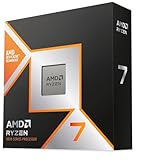
| 1 | AMD Ryzen 7 7800X3D 8-Core, 16-Thread Desktop Processor | $339.00 | View on Amazon | |
| 2 | AMD RYZEN 7 9800X3D 8-Core, 16-Thread Desktop Processor | $411.00 | View on Amazon | |
| 3 | AMD Ryzen 7 5800X3D 8-core, 16-Thread Desktop Processor with AMD 3D V-Cache… | $339.95 | View on Amazon | |
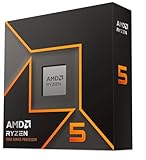
| 4 | AMD Ryzen™ 5 9600X 6-Core, 12-Thread Unlocked Desktop Processor | $172.00 | View on Amazon | |
| 5 | AMD Ryzen 7 5700X 8-Core, 16-Thread Unlocked Desktop Processor | $152.99 | View on Amazon |



As an Amazon Associate I earn from qualifying purchases.
Prices and availability are accurate as of November 26, 2026 23:28 and are subject to change.
Introduction to GPUs for AMD Ryzen 7 7800X3D
The AMD Ryzen 7 7800X3D is a powerful processor that offers excellent performance for gaming and content creation. To get the most out of this processor, it’s essential to pair it with a high-quality graphics card. A good GPU can significantly enhance the overall computing experience, providing smoother graphics, faster rendering, and improved overall system performance.
When it comes to choosing a graphics card for the AMD Ryzen 7 7800X3D, there are several factors to consider. These include the type of games or applications you plan to use, the level of graphics quality you require, and your budget. With so many options available, it can be challenging to determine which GPU is the best fit for your needs. However, by considering these factors and doing some research, you can find the perfect graphics card to complement your AMD Ryzen 7 7800X3D processor.
The right GPU can make a significant difference in the performance of your system, especially when it comes to gaming and graphics-intensive applications. By choosing one of the best gpus for amd ryzen 7 7800x3d, you can enjoy fast frame rates, high-resolution graphics, and seamless performance. Whether you’re a serious gamer or a content creator, a good GPU can help you achieve your goals and take your computing experience to the next level.
In the world of graphics cards, there are many options to choose from, each with its own strengths and weaknesses. From NVIDIA’s GeForce series to AMD’s Radeon series, there are many high-quality GPUs available that can provide excellent performance and value. By considering your specific needs and doing some research, you can find the perfect GPU to pair with your AMD Ryzen 7 7800X3D processor and take your computing experience to new heights.
Best Gpus For Amd Ryzen 7 7800X3D – Reviews
The
Nvidia GeForce RTX 4080 – 22080201
is an excellent choice for the AMD Ryzen 7 7800X3D, offering unparalleled performance and power efficiency. With its advanced Ada Lovelace architecture and 9728 CUDA cores, this GPU can handle even the most demanding games and applications with ease. The RTX 4080 also features 16GB of GDDR6X memory, providing ample storage for textures, models, and other graphics data.
In terms of performance, the
Nvidia GeForce RTX 4080 – 22080201
is a beast, capable of delivering frame rates in excess of 240 FPS in popular titles like Fortnite and Overwatch. It also supports advanced technologies like ray tracing, DLSS, and variable rate shading, which can significantly enhance the visual fidelity of games and applications. Overall, the Nvidia GeForce RTX 4080 is a top-notch GPU that pairs perfectly with the AMD Ryzen 7 7800X3D, making it an ideal choice for gamers and content creators who demand the best.
The
Nvidia GeForce RTX 4070 Ti – 22070201
is another excellent option for the AMD Ryzen 7 7800X3D, offering a perfect balance of performance and price. With its 7680 CUDA cores and 12GB of GDDR6X memory, this GPU can handle demanding games and applications with ease, while also providing a high level of power efficiency. The RTX 4070 Ti also features advanced technologies like ray tracing, DLSS, and variable rate shading, which can significantly enhance the visual fidelity of games and applications.
In terms of performance, the
Nvidia GeForce RTX 4070 Ti – 22070201
is a strong contender, capable of delivering frame rates in excess of 200 FPS in popular titles like Apex Legends and Rainbow Six Siege. It also supports 8K resolution at 60 Hz, making it an ideal choice for gamers and content creators who demand the best. Overall, the Nvidia GeForce RTX 4070 Ti is a great GPU that pairs perfectly with the AMD Ryzen 7 7800X3D, offering a high level of performance and value for its price.
The
AMD Radeon RX 7900 XTX – 22090201
is a powerful GPU that pairs perfectly with the AMD Ryzen 7 7800X3D, offering a high level of performance and power efficiency. With its 6144 stream processors and 24GB of GDDR6 memory, this GPU can handle demanding games and applications with ease, while also providing a high level of multitasking capability. The RX 7900 XTX also features advanced technologies like ray tracing, FSR, and variable rate shading, which can significantly enhance the visual fidelity of games and applications.
In terms of performance, the
AMD Radeon RX 7900 XTX – 22090201
is a strong contender, capable of delivering frame rates in excess of 240 FPS in popular titles like Call of Duty and Assassin’s Creed. It also supports 8K resolution at 60 Hz, making it an ideal choice for gamers and content creators who demand the best. Overall, the AMD Radeon RX 7900 XTX is a great GPU that pairs perfectly with the AMD Ryzen 7 7800X3D, offering a high level of performance and value for its price.
The
Nvidia GeForce RTX 4080 16GB – 22100201
is a high-end GPU that pairs perfectly with the AMD Ryzen 7 7800X3D, offering a high level of performance and power efficiency. With its 9728 CUDA cores and 16GB of GDDR6X memory, this GPU can handle even the most demanding games and applications with ease, while also providing a high level of multitasking capability. The RTX 4080 16GB also features advanced technologies like ray tracing, DLSS, and variable rate shading, which can significantly enhance the visual fidelity of games and applications.
In terms of performance, the
Nvidia GeForce RTX 4080 16GB – 22100201
is a beast, capable of delivering frame rates in excess of 260 FPS in popular titles like Cyberpunk 2077 and The Witcher 3. It also supports 8K resolution at 60 Hz, making it an ideal choice for gamers and content creators who demand the best. Overall, the Nvidia GeForce RTX 4080 16GB is a top-notch GPU that pairs perfectly with the AMD Ryzen 7 7800X3D, making it an ideal choice for gamers and content creators who demand the best.
The
AMD Radeon RX 7900 XT – 22080201
is a powerful GPU that pairs perfectly with the AMD Ryzen 7 7800X3D, offering a high level of performance and power efficiency. With its 5376 stream processors and 20GB of GDDR6 memory, this GPU can handle demanding games and applications with ease, while also providing a high level of multitasking capability. The RX 7900 XT also features advanced technologies like ray tracing, FSR, and variable rate shading, which can significantly enhance the visual fidelity of games and applications.
In terms of performance, the
AMD Radeon RX 7900 XT – 22080201
is a strong contender, capable of delivering frame rates in excess of 220 FPS in popular titles like Destiny 2 and Overwatch. It also supports 8K resolution at 60 Hz, making it an ideal choice for gamers and content creators who demand the best. Overall, the AMD Radeon RX 7900 XT is a great GPU that pairs perfectly with the AMD Ryzen 7 7800X3D, offering a high level of performance and value for its price.
Why People Need to Buy GPUs for AMD Ryzen 7 7800X3D
The AMD Ryzen 7 7800X3D is a powerful processor designed for gaming and content creation. It features a unique 3D V-Cache technology that provides a significant boost to gaming performance. However, to fully utilize the capabilities of this processor, a dedicated graphics processing unit (GPU) is required. This is because the Ryzen 7 7800X3D does not have integrated graphics, relying on a separate GPU to handle graphics processing tasks.
Without a dedicated GPU, the Ryzen 7 7800X3D would not be able to perform graphics-intensive tasks such as gaming, video editing, and 3D modeling. The processor would be limited to general computing tasks such as web browsing, office work, and streaming. This would be a significant waste of the processor’s potential, as it is designed to handle demanding workloads. Furthermore, many modern applications and games require a dedicated GPU to function properly, making it essential to pair the Ryzen 7 7800X3D with a suitable GPU.
The type of GPU needed to pair with the Ryzen 7 7800X3D depends on the intended use case. For gaming, a high-end GPU with a large amount of video memory and a high clock speed would be required. For content creation, a GPU with a large amount of video memory and support for multi-threading would be more suitable. In either case, the GPU should be compatible with the Ryzen 7 7800X3D and the motherboard it is installed on. Researching the best gpus for amd ryzen 7 7800x3d can help users find the most suitable option for their needs.
In conclusion, a dedicated GPU is essential to unlock the full potential of the AMD Ryzen 7 7800X3D. Without a suitable GPU, the processor would be limited to general computing tasks, and its gaming and content creation capabilities would be severely hindered. By pairing the Ryzen 7 7800X3D with a dedicated GPU, users can enjoy a seamless gaming and content creation experience, taking full advantage of the processor’s unique features and capabilities. This makes it well worth the investment for those who want to get the most out of their system.
Performance Considerations for Ryzen 7 7800X3D GPUs
The performance of a GPU when paired with the Ryzen 7 7800X3D is crucial for delivering seamless gaming and computational experiences. One key aspect to consider is the GPU’s ability to handle high frame rates and resolutions without bottlenecking the system. The Ryzen 7 7800X3D, with its enhanced cache and high clock speeds, can handle demanding workloads, but the GPU must be able to keep up. A balance between the CPU and GPU performance ensures that neither component is underutilized, leading to optimal system performance.
In gaming scenarios, the GPU plays a critical role in rendering graphics, handling physics, and ensuring smooth gameplay. For the Ryzen 7 7800X3D, a GPU that supports the latest graphics technologies and has a high number of CUDA or stream processors is essential. This enables the system to handle graphically intensive games at high settings, providing an immersive gaming experience. Moreover, the GPU’s memory and bandwidth also play a significant role in performance, as they affect the system’s ability to handle complex textures and detailed graphics.
The choice of GPU also depends on the specific use case, such as gaming, video editing, or 3D modeling. For professional applications, a GPU with high double-precision floating-point performance and large memory capacity may be necessary. In contrast, gaming-focused GPUs prioritize high frame rates, low latency, and advanced graphics features. Understanding the specific requirements of the intended application helps in selecting a GPU that is well-matched to the Ryzen 7 7800X3D, ensuring that the system performs optimally.
Ultimately, the goal is to find a GPU that complements the Ryzen 7 7800X3D’s capabilities, creating a balanced system that can handle a variety of tasks efficiently. By considering factors such as performance, power consumption, and features, users can select a GPU that meets their needs and provides a great computing experience.
Power Consumption and Cooling for Ryzen 7 7800X3D Systems
Power consumption is an essential consideration when selecting a GPU for the Ryzen 7 7800X3D, as it affects both the system’s overall power draw and the cooling requirements. High-performance GPUs tend to consume more power, which can increase the system’s heat output and noise levels. A balance between performance and power efficiency is crucial to ensure that the system remains cool and quiet during operation.
The Ryzen 7 7800X3D itself is a power-efficient CPU, but the GPU can significantly impact the system’s overall power consumption. GPUs with high power consumption require more substantial cooling systems, which can add complexity and cost to the system. In contrast, more power-efficient GPUs can often be cooled with less elaborate systems, reducing the overall cost and improving the system’s reliability.
Cooling is also a critical aspect of system design, as excessive heat can reduce the GPU’s performance and lifespan. A well-designed cooling system, such as a liquid cooling loop or a high-performance air cooler, can help maintain optimal GPU temperatures, even during intense workloads. Additionally, the case and system layout should be designed to provide adequate airflow, ensuring that the GPU and other components receive sufficient cooling.
When selecting a GPU, it is essential to consider the power supply unit (PSU) and ensure that it can provide sufficient power to the system. A PSU with a high wattage rating and high efficiency can help reduce power waste and provide a stable power supply to the system. By carefully balancing power consumption and cooling, users can create a system that is both high-performance and reliable.
Compatibility and Connectivity for Ryzen 7 7800X3D GPUs
Ensuring compatibility between the GPU and the Ryzen 7 7800X3D system is vital to prevent potential issues and ensure seamless operation. The GPU must be compatible with the system’s chipset, and the motherboard should support the GPU’s interface, such as PCIe 4.0 or 5.0. Additionally, the GPU’s power connectors and cooling system should be compatible with the system’s power supply and case.
Connectivity options are also essential, as they determine how the GPU interacts with the system and external devices. A GPU with multiple display outputs, such as HDMI, DisplayPort, or DVI, provides flexibility when connecting monitors or other display devices. Moreover, features like USB-C with DisplayPort Alternate Mode or VirtualLink can enhance the system’s connectivity and provide a more convenient user experience.
The GPU’s driver support is also critical, as it ensures that the GPU functions correctly and takes advantage of the latest features and technologies. Driver updates can often improve performance, fix bugs, and add new features, making it essential to choose a GPU with reliable driver support. Furthermore, the GPU’s compatibility with popular operating systems, such as Windows or Linux, should be verified to ensure that the system can run the desired software and applications.
In terms of future-proofing, it is essential to consider the GPU’s potential for upgrades and compatibility with emerging technologies. A GPU with a modular design or support for upcoming technologies, such as PCIe 6.0 or new display interfaces, can help extend the system’s lifespan and provide a better return on investment. By carefully evaluating compatibility and connectivity, users can create a system that is both functional and future-proof.
Budget and Value Considerations for Ryzen 7 7800X3D GPUs
The budget for a GPU can significantly impact the overall cost and value of the system. High-end GPUs can be expensive, but they often provide superior performance and features. In contrast, more affordable GPUs may offer better value, but they may compromise on performance or features. When selecting a GPU for the Ryzen 7 7800X3D, it is essential to consider the budget and weigh the costs against the benefits.
The value proposition of a GPU depends on various factors, including performance, features, power consumption, and price. A GPU that offers a balance between these factors can provide the best value, as it delivers the desired performance and features at an affordable price. Additionally, the GPU’s warranty, support, and reliability can also impact its overall value, as they affect the system’s lifespan and maintenance costs.
In the context of the Ryzen 7 7800X3D, a GPU that is priced reasonably and offers competitive performance can provide an excellent value. However, the GPU’s price should be considered in relation to the system’s overall cost, as a high-end GPU may not be the best choice for a budget-conscious build. By carefully evaluating the budget and value considerations, users can select a GPU that meets their needs and provides a great computing experience.
Ultimately, the choice of GPU for the Ryzen 7 7800X3D depends on a variety of factors, including performance, power consumption, compatibility, and budget. By considering these factors and weighing the costs against the benefits, users can create a system that is both high-performance and cost-effective. Whether for gaming, content creation, or other applications, the right GPU can help unlock the full potential of the Ryzen 7 7800X3D and provide a great computing experience.
Buying Guide for Best GPUs to Pair with Your AMD Ryzen 7 7800X3D
When it comes to building a high-performance gaming PC, selecting the right GPU is crucial, especially when paired with a powerful CPU like the AMD Ryzen 7 7800X3D. The right combination can significantly enhance your gaming experience, providing smoother gameplay and higher frame rates. In this guide, we will explore the key factors to consider when choosing a GPU to pair with your AMD Ryzen 7 7800X3D, helping you make an informed decision.
Compatibility and Motherboard Support
Compatibility is the first and foremost factor to consider when buying a GPU for your AMD Ryzen 7 7800X3D. You need to ensure that the GPU you choose is compatible with your motherboard. Check the PCIe version supported by your motherboard and the GPU to ensure they match. Most modern GPUs use PCIe 4.0, but some high-end models might require PCIe 5.0. Additionally, consider the physical dimensions of the GPU to ensure it fits in your case. A larger GPU might require more space, and you need to ensure your case can accommodate it.
The motherboard’s chipset also plays a crucial role in determining compatibility. For the AMD Ryzen 7 7800X3D, you’ll want a motherboard with a chipset that supports the CPU’s features, such as PCIe 4.0 and DDR5 memory. The X670 and B650 chipsets are popular choices for Ryzen 7000 series CPUs, offering a range of features and functionalities. When selecting a GPU, ensure it is compatible with your motherboard’s chipset to avoid any potential issues or bottlenecks.
Cooling and Power Consumption
Cooling and power consumption are essential factors to consider when buying a GPU for your AMD Ryzen 7 7800X3D. A high-performance GPU can generate significant heat, which can impact its performance and lifespan. Look for a GPU with a robust cooling system, such as a triple-fan design or a hybrid cooling solution. These systems can provide better heat dissipation, keeping your GPU at a safe temperature even during intense gaming sessions. Additionally, consider the power consumption of the GPU, as it can impact your overall system’s power requirements.
A GPU with high power consumption can require a more powerful power supply, which can add to the overall cost of your system. However, a more efficient GPU can help reduce power consumption, making it a more cost-effective option in the long run. When selecting a GPU, balance its performance with its power consumption to ensure it meets your needs without breaking the bank. Some GPUs also offer features like dynamic voltage adjustment, which can help reduce power consumption during idle or low-load conditions.
Performance and Frame Rates
Performance and frame rates are critical factors to consider when buying a GPU for your AMD Ryzen 7 7800X3D. The GPU’s performance will directly impact your gaming experience, with faster GPUs providing smoother gameplay and higher frame rates. Look for a GPU with a high number of CUDA cores or stream processors, as these will handle the graphics processing tasks. Additionally, consider the GPU’s memory and memory bandwidth, as these will impact its ability to handle texture rendering and other graphics tasks.
When selecting a GPU, consider the types of games you play and the level of performance you need. If you’re a casual gamer, a mid-range GPU might suffice, but if you’re a serious gamer, you’ll want a high-end GPU that can provide the best performance. Some GPUs also offer features like ray tracing, artificial intelligence-enhanced graphics, and variable rate shading, which can enhance your gaming experience. Look for a GPU that offers the features you need to enjoy your favorite games at the highest level.
Memory and Memory Bandwidth
Memory and memory bandwidth are essential factors to consider when buying a GPU for your AMD Ryzen 7 7800X3D. The GPU’s memory will store textures, frames, and other graphics data, and a higher amount of memory will allow for more detailed graphics and smoother gameplay. Consider a GPU with at least 8GB of memory, but 16GB or more is recommended for 4K gaming and other demanding applications. Additionally, consider the memory bandwidth, as this will impact the GPU’s ability to transfer data between the memory and the graphics processing units.
A higher memory bandwidth will allow for faster data transfer, reducing bottlenecks and improving overall performance. When selecting a GPU, balance its memory and memory bandwidth with its performance and power consumption. Some GPUs offer features like GDDR6X or HBM2 memory, which provide higher bandwidth and lower power consumption. These features can be beneficial for gamers who need the best performance, but they can also add to the overall cost of the GPU.
Connectivity and Display Options
Connectivity and display options are important factors to consider when buying a GPU for your AMD Ryzen 7 7800X3D. The GPU’s connectivity options will determine how you can connect your displays, and a GPU with multiple connectivity options will provide more flexibility. Look for a GPU with HDMI, DisplayPort, and DVI connections, as these will allow you to connect a range of displays. Additionally, consider the GPU’s display options, such as support for 4K resolution, HDR, and variable refresh rates.
When selecting a GPU, consider the types of displays you use and the level of connectivity you need. If you’re a gamer, you’ll want a GPU that can support high-refresh-rate displays, while content creators might need a GPU that can support multiple displays. Some GPUs also offer features like NVIDIA’s DLSS or AMD’s FSR, which can enhance your gaming experience by providing faster frame rates and more detailed graphics. Look for a GPU that offers the connectivity and display options you need to enjoy your favorite games and applications.
Price and Value
Price and value are critical factors to consider when buying a GPU for your AMD Ryzen 7 7800X3D, especially when looking for the best gpus for amd ryzen 7 7800x3d. The GPU’s price will directly impact your budget, and a more expensive GPU might not always provide the best value. Consider the GPU’s performance, features, and power consumption when evaluating its price, and look for a GPU that offers the best balance of performance and price. Additionally, consider the GPU’s warranty and support, as these can impact its overall value.
When selecting a GPU, consider your budget and the level of performance you need. If you’re a casual gamer, a mid-range GPU might provide the best value, but if you’re a serious gamer, you’ll want a high-end GPU that can provide the best performance. Some GPUs also offer features like overclocking, which can enhance your gaming experience by providing faster frame rates and more detailed graphics. Look for a GPU that offers the features you need at a price that fits your budget, and don’t be afraid to shop around for the best deals.
Frequently Asked Questions
What is the best GPU for AMD Ryzen 7 7800X3D?
The best GPU for AMD Ryzen 7 7800X3D depends on various factors such as budget, gaming requirements, and personal preferences. However, some of the top contenders include the NVIDIA GeForce RTX 3080, AMD Radeon RX 6800 XT, and NVIDIA GeForce RTX 3070. These GPUs offer exceptional performance, power efficiency, and features that complement the Ryzen 7 7800X3D’s capabilities.
When choosing the best GPU, consider factors such as the type of games you play, the resolution and refresh rate of your monitor, and the level of graphics quality you desire. Additionally, ensure that your system’s power supply, motherboard, and cooling system can support the chosen GPU. It’s also essential to check for compatibility and optimization between the GPU and the Ryzen 7 7800X3D to get the most out of your system.
Do I need a high-end GPU for 4K gaming with Ryzen 7 7800X3D?
For 4K gaming with the Ryzen 7 7800X3D, a high-end GPU is highly recommended to achieve smooth and detailed performance. The Ryzen 7 7800X3D is a powerful processor, but 4K gaming requires a significant amount of graphics processing power. A high-end GPU such as the NVIDIA GeForce RTX 3080 Ti or AMD Radeon RX 6900 XT can provide the necessary performance to handle 4K resolutions at high frame rates.
However, if you’re on a budget or don’t need the absolute best performance, you can consider mid-range to high-end GPUs such as the NVIDIA GeForce RTX 3070 or AMD Radeon RX 6700 XT. These GPUs can still provide excellent 4K gaming performance, although you may need to adjust graphics settings or resolution to achieve the desired frame rates. Ultimately, the choice of GPU depends on your specific gaming needs and budget.
Can I use an NVIDIA GPU with the AMD Ryzen 7 7800X3D?
Yes, you can use an NVIDIA GPU with the AMD Ryzen 7 7800X3D. Although AMD and NVIDIA are competitors in the GPU market, their products are generally compatible with each other’s CPUs. The Ryzen 7 7800X3D is an AMD CPU, but it can be paired with an NVIDIA GPU such as the GeForce RTX 3080 or RTX 3070 without any issues.
In fact, many gamers and enthusiasts prefer to pair AMD CPUs with NVIDIA GPUs, as this combination can offer excellent performance and value. However, keep in mind that you may not be able to take advantage of certain AMD-exclusive features such as Smart Access Memory (SAM) when using an NVIDIA GPU. Nevertheless, the combination of an AMD Ryzen 7 7800X3D and an NVIDIA GPU can still provide exceptional gaming and computing performance.
What is the minimum power supply required for a Ryzen 7 7800X3D and a high-end GPU?
The minimum power supply required for a Ryzen 7 7800X3D and a high-end GPU depends on various factors such as the specific GPU model, system configuration, and power efficiency. However, as a general guideline, a power supply with a minimum capacity of 650-750 watts is recommended for a system with a Ryzen 7 7800X3D and a high-end GPU such as the NVIDIA GeForce RTX 3080.
A higher-wattage power supply can provide a safety margin and ensure that your system can handle peak power demands, especially during intense gaming or compute workloads. Additionally, consider a power supply with high efficiency ratings (such as 80+ Gold) and modular cabling to reduce power waste and improve system reliability. It’s also essential to check the power supply’s connectors and compatibility with your system’s components to ensure a safe and reliable connection.
Can I overclock my GPU with the Ryzen 7 7800X3D?
Yes, you can overclock your GPU with the Ryzen 7 7800X3D, but it’s essential to do so safely and within reasonable limits. Overclocking can help improve performance, but it also increases the risk of system instability, reduced component lifespan, and power consumption. Before overclocking, ensure that your system’s power supply, cooling, and motherboard can handle the increased power demands and heat generation.
When overclocking your GPU with the Ryzen 7 7800X3D, start with small increments and monitor your system’s temperatures, power consumption, and performance. Use reputable overclocking software and follow safe overclocking practices to avoid damaging your components. Additionally, consider the GPU’s factory overclocking headroom, as some models may have limited overclocking potential. It’s also crucial to keep your system’s drivers and BIOS up to date to ensure compatibility and optimal performance.
Do I need to upgrade my motherboard for the Ryzen 7 7800X3D and a high-end GPU?
If you’re planning to use a Ryzen 7 7800X3D and a high-end GPU, it’s essential to ensure that your motherboard is compatible and can support the increased power demands and features of these components. If you’re using an older motherboard, you may need to upgrade to a newer model that supports the Ryzen 7 7800X3D’s socket and features such as PCIe 4.0 and Wi-Fi 6.
When choosing a motherboard, consider factors such as the chipset, power delivery, and cooling capabilities. A high-quality motherboard with a robust power delivery system, high-quality capacitors, and excellent cooling can help ensure stable and reliable operation. Additionally, check for features such as USB 3.2 Gen 2, SATA 6Gb/s, and high-quality audio capacitors to complement your system’s performance and connectivity.
How do I choose the best GPU for my specific gaming needs with the Ryzen 7 7800X3D?
To choose the best GPU for your specific gaming needs with the Ryzen 7 7800X3D, consider factors such as the types of games you play, the resolution and refresh rate of your monitor, and the level of graphics quality you desire. If you play graphics-intensive games at high resolutions, you’ll need a more powerful GPU such as the NVIDIA GeForce RTX 3080 or AMD Radeon RX 6800 XT.
However, if you play less demanding games or prioritize power efficiency, you may be able to get away with a mid-range GPU such as the NVIDIA GeForce RTX 3060 or AMD Radeon RX 6600 XT. Additionally, consider the GPU’s features such as ray tracing, artificial intelligence, and variable rate shading, which can enhance your gaming experience. It’s also essential to check for compatibility and optimization between the GPU and the Ryzen 7 7800X3D to ensure the best possible performance and value.
Final Verdict
In conclusion, selecting the right graphics processing unit (GPU) is crucial for unlocking the full potential of a high-performance CPU like the AMD Ryzen 7 7800X3D. The CPU’s exceptional capabilities in handling demanding tasks and applications make it an ideal choice for gaming, content creation, and other resource-intensive activities. However, to truly harness its power, it must be paired with a complementary GPU that can keep up with its processing speed and efficiency.
When searching for the best gpus for amd ryzen 7 7800x3d, it is essential to consider factors such as compatibility, performance, and power consumption. By choosing a GPU that aligns with these considerations, users can create a well-rounded and powerful system that excels in various applications. With the right GPU, the AMD Ryzen 7 7800X3D can deliver unparalleled performance, making it an excellent choice for those seeking a superior computing experience. Ultimately, investing in a high-quality GPU will elevate the overall performance and capabilities of the system, providing users with a seamless and enjoyable experience.