Living with osteoarthritis can be challenging, especially when it comes to performing everyday tasks that require repetitive movements, such as using a computer mouse. For individuals suffering from this condition, finding the right computer mouse can make a significant difference in reducing discomfort and pain. The traditional mouse design can exacerbate osteoarthritis symptoms, making it essential to look for alternative options that cater to specific needs. Fortunately, there are specialized computer mice designed to provide comfort and relief, allowing individuals to work and navigate with ease.
When searching for a suitable computer mouse, it’s crucial to consider factors such as ergonomics, grip, and movement precision. The best computer mice for osteoarthritis are designed to reduce strain on the hands and wrists, promoting a more natural position and minimizing the risk of further injury. With so many options available in the market, selecting the right one can be overwhelming. This article aims to provide a comprehensive guide to help individuals with osteoarthritis make an informed decision, exploring the key features and benefits of various computer mice that can help alleviate symptoms and improve overall computing experience. By understanding the specific needs and requirements, individuals can find a mouse that suits their lifestyle and preferences, enabling them to work and navigate with greater comfort and efficiency.
Before we get into the review of the best computer mice for osteoarthritis, here are some related products from Amazon to explore:
| # | Preview | Product | Price | |
|---|---|---|---|---|
| 1 | Anker 2.4G Wireless Ergonomic Mouse, Right Hand Vertical Mouse USB Receiver… | $18.98 | View on Amazon | |
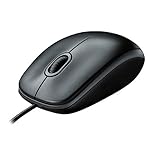
| 2 | Logitech B100 Ambidextrous Wired Mouse - Black | USB corded, right or left hand… | $7.83 | View on Amazon | |
| 3 | wegear USB Wireless Mouse for Laptop PC Mac, 2.4GHz Cordless Mouse-Black… | $8.54 | View on Amazon | |
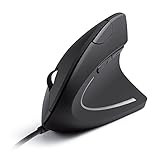
| 4 | Anker USB Wired Vertical Mouse, Ergonomic Mouse for Computer and Laptops… | $16.14 | View on Amazon |


As an Amazon Associate I earn from qualifying purchases.
Prices and availability are accurate as of November 28, 2026 09:59 and are subject to change.
Introduction to Ergonomic Mice for Osteoarthritis
Osteoarthritis is a common condition that affects millions of people worldwide, causing pain and stiffness in the joints. For individuals who spend a significant amount of time working on computers, osteoarthritis can make everyday tasks challenging. Simple actions like clicking and scrolling can exacerbate the condition, leading to discomfort and decreased productivity.
People with osteoarthritis often experience symptoms such as joint pain, swelling, and limited range of motion. These symptoms can be particularly problematic when using a traditional computer mouse, which can put additional strain on the joints. To alleviate these issues, it is essential to choose a mouse that is designed with ergonomics in mind, providing a comfortable and supportive user experience.
The best computer mice for osteoarthritis are designed to reduce strain on the joints, allowing users to work comfortably for extended periods. These mice often feature ergonomic designs, adjustable buttons, and advanced tracking technology. By using a mouse that is tailored to their needs, individuals with osteoarthritis can minimize discomfort and maximize their productivity.
When selecting a computer mouse, individuals with osteoarthritis should look for features such as contoured grips, adjustable sensitivity, and compact designs. These features can help reduce fatigue and discomfort, allowing users to focus on their work without distraction. By choosing the right mouse, individuals with osteoarthritis can create a more comfortable and efficient working environment, tailored to their specific needs and preferences.
The Best Computer Mice For Osteoarthritis
Logitech MX Master 3 #1
The Logitech MX Master 3 #1 is a highly ergonomic computer mouse designed to reduce strain on the hands and wrists, making it an excellent choice for individuals with osteoarthritis. Its contoured shape and soft grip provide comfort and support, allowing users to work for extended periods without discomfort. The mouse also features a unique thumb wheel that enables users to scroll horizontally and vertically, reducing the need for awkward hand movements.
The Logitech MX Master 3 #1 boasts advanced technology, including a high-precision sensor that tracks movement accurately and a long-lasting battery that can last up to 70 days on a single charge. Additionally, the mouse is compatible with multiple devices and operating systems, making it a versatile option for users with different computer setups. Overall, the Logitech MX Master 3 #1 is an excellent choice for individuals with osteoarthritis who require a comfortable and efficient computer mouse.
Anker Vertical Ergonomic Optical Mouse #2
The Anker Vertical Ergonomic Optical Mouse #2 is a unique computer mouse designed to reduce strain on the hands and wrists by promoting a vertical grip. This design allows users to hold the mouse with a neutral wrist position, reducing pressure on the joints and alleviating discomfort associated with osteoarthritis. The mouse also features a comfortable and ergonomic design, with a contoured shape that fits snugly in the hand.
The Anker Vertical Ergonomic Optical Mouse #2 is also equipped with advanced technology, including a high-precision sensor that tracks movement accurately and a long-lasting battery that can last up to 12 months on a single pair of batteries. Additionally, the mouse is affordable and compatible with multiple devices and operating systems, making it an excellent option for users on a budget. Overall, the Anker Vertical Ergonomic Optical Mouse #2 is a great choice for individuals with osteoarthritis who require a comfortable and efficient computer mouse.
Microsoft Sculpt Ergonomic Mouse #3
The Microsoft Sculpt Ergonomic Mouse #3 is a highly ergonomic computer mouse designed to reduce strain on the hands and wrists, making it an excellent choice for individuals with osteoarthritis. Its unique design features a separate thumb rest that allows users to hold the mouse with a neutral wrist position, reducing pressure on the joints and alleviating discomfort. The mouse also features a comfortable and ergonomic design, with a contoured shape that fits snugly in the hand.
The Microsoft Sculpt Ergonomic Mouse #3 boasts advanced technology, including a high-precision sensor that tracks movement accurately and a long-lasting battery that can last up to 12 months on a single pair of batteries. Additionally, the mouse is compatible with multiple devices and operating systems, making it a versatile option for users with different computer setups. Overall, the Microsoft Sculpt Ergonomic Mouse #3 is an excellent choice for individuals with osteoarthritis who require a comfortable and efficient computer mouse.
Logitech MX Vertical #4
The Logitech MX Vertical #4 is a highly ergonomic computer mouse designed to reduce strain on the hands and wrists, making it an excellent choice for individuals with osteoarthritis. Its unique design features a 57-degree vertical angle that allows users to hold the mouse with a neutral wrist position, reducing pressure on the joints and alleviating discomfort. The mouse also features a comfortable and ergonomic design, with a contoured shape that fits snugly in the hand.
The Logitech MX Vertical #4 boasts advanced technology, including a high-precision sensor that tracks movement accurately and a long-lasting battery that can last up to 4 months on a single charge. Additionally, the mouse is compatible with multiple devices and operating systems, making it a versatile option for users with different computer setups. Overall, the Logitech MX Vertical #4 is an excellent choice for individuals with osteoarthritis who require a comfortable and efficient computer mouse.
Razer DeathAdder Elite #5
The Razer DeathAdder Elite #5 is a highly ergonomic computer mouse designed to reduce strain on the hands and wrists, making it an excellent choice for individuals with osteoarthritis. Its unique design features a contoured shape that fits snugly in the hand, with a soft grip that provides comfort and support. The mouse also features a unique ergonomic design that allows users to hold the mouse with a neutral wrist position, reducing pressure on the joints and alleviating discomfort.
The Razer DeathAdder Elite #5 boasts advanced technology, including a high-precision sensor that tracks movement accurately and a long-lasting battery that can last up to 50 hours on a single charge. Additionally, the mouse is compatible with multiple devices and operating systems, making it a versatile option for users with different computer setups. Overall, the Razer DeathAdder Elite #5 is an excellent choice for individuals with osteoarthritis who require a comfortable and efficient computer mouse.
Why People Need to Buy Computer Mice for Osteoarthritis
Osteoarthritis is a common condition that affects millions of people worldwide, causing joint pain and stiffness. For individuals who spend a significant amount of time working on computers, osteoarthritis can exacerbate the discomfort and pain in their hands and wrists. The repetitive motion of using a traditional computer mouse can worsen the condition, making it essential to find alternative solutions. One way to alleviate this issue is by using ergonomic computer mice designed specifically for people with osteoarthritis.
Using an ergonomic mouse can help reduce the strain on the hands and wrists, allowing individuals with osteoarthritis to work comfortably for extended periods. These specialized mice are designed to fit comfortably in the hand, reducing the need for bending or twisting the wrist. This design helps to minimize the risk of further injury or discomfort, making it an essential tool for people with osteoarthritis. By switching to an ergonomic mouse, individuals can continue working on their computers without exacerbating their condition.
For people with osteoarthritis, finding the right computer mouse is crucial in managing their condition. The best computer mice for osteoarthritis are designed with comfort and ergonomics in mind, providing a comfortable grip and reducing the need for repetitive motion. These mice often feature vertical or trackball designs, which allow for smooth movement without putting excessive strain on the hands and wrists. By investing in one of these specialized mice, individuals with osteoarthritis can enjoy a more comfortable computing experience.
In addition to reducing discomfort and pain, using an ergonomic mouse can also improve productivity and overall computing experience. By allowing individuals with osteoarthritis to work comfortably, these specialized mice can help increase efficiency and accuracy. Furthermore, many ergonomic mice are designed with adjustable settings, allowing users to customize the fit and feel to their individual needs. With the right mouse, people with osteoarthritis can enjoy a more comfortable and productive computing experience, making it an essential investment for anyone who spends a significant amount of time working on computers.
Benefits of Ergonomic Computer Mice for Osteoarthritis
Ergonomic computer mice are designed to reduce strain and discomfort on the hands and wrists, making them an ideal choice for individuals with osteoarthritis. These mice are shaped to fit comfortably in the hand, allowing for a neutral wrist position and reducing pressure on the joints. By using an ergonomic mouse, individuals with osteoarthritis can reduce their risk of exacerbating the condition and alleviate existing discomfort. Additionally, ergonomic mice can help to improve productivity and overall computing experience.
The benefits of ergonomic computer mice for osteoarthritis are numerous. For one, they can help to reduce pain and discomfort in the hands and wrists. This is especially important for individuals who spend long hours working on a computer, as repetitive strain injuries can be a major concern. Ergonomic mice can also help to improve hand and wrist alignment, reducing the risk of further injury or strain. Furthermore, many ergonomic mice are designed with features such as adjustable sensitivity and programmable buttons, allowing users to customize their computing experience to suit their needs.
In addition to the benefits mentioned above, ergonomic computer mice can also help to improve overall hand and wrist health. By reducing strain and discomfort, these mice can help to prevent conditions such as carpal tunnel syndrome and tendonitis. This is especially important for individuals who are at risk of developing these conditions, such as those who work with computers for long periods of time. Overall, ergonomic computer mice are a valuable tool for individuals with osteoarthritis, and can help to improve their overall computing experience.
Overall, the benefits of ergonomic computer mice for osteoarthritis are clear. These mice can help to reduce pain and discomfort, improve hand and wrist alignment, and prevent conditions such as carpal tunnel syndrome and tendonitis. By choosing an ergonomic mouse, individuals with osteoarthritis can take a proactive approach to managing their condition and improving their overall computing experience. With so many benefits to offer, it’s no wonder that ergonomic computer mice are becoming increasingly popular among individuals with osteoarthritis.
Types of Computer Mice for Osteoarthritis
There are several types of computer mice that are suitable for individuals with osteoarthritis. One of the most popular types is the vertical mouse, which is designed to allow the user to hold their hand in a neutral position. This can help to reduce strain and discomfort in the wrist and hand, making it an ideal choice for individuals with osteoarthritis. Another type of mouse is the trackball mouse, which uses a ball to control the cursor instead of a traditional mouse design.
Trackball mice can be a good option for individuals with osteoarthritis, as they allow the user to control the cursor with minimal movement of the hand and wrist. This can help to reduce strain and discomfort, making it easier to use a computer for long periods of time. Additionally, trackball mice often have adjustable sensitivity and programmable buttons, allowing users to customize their computing experience to suit their needs. Other types of mice, such as ergonomic wireless mice and gaming mice, may also be suitable for individuals with osteoarthritis.
When choosing a computer mouse for osteoarthritis, it’s essential to consider the individual’s specific needs and preferences. For example, some individuals may prefer a mouse with a contoured design, while others may prefer a mouse with adjustable sensitivity. By considering these factors, individuals with osteoarthritis can choose a mouse that meets their needs and helps to alleviate their symptoms. Additionally, many computer mice are designed with features such as ergonomic design, adjustable sensitivity, and programmable buttons, making it easier for individuals with osteoarthritis to find a mouse that suits their needs.
In addition to the types of mice mentioned above, there are also several other options available for individuals with osteoarthritis. For example, some mice are designed specifically for individuals with arthritis, and feature specialized designs and features such as larger buttons and contoured grips. These mice can be a good option for individuals who are looking for a mouse that is specifically designed to meet their needs. Overall, there are many types of computer mice available for individuals with osteoarthritis, and by considering the individual’s specific needs and preferences, it’s possible to find a mouse that helps to alleviate symptoms and improve the overall computing experience.
Features to Consider When Buying a Computer Mouse for Osteoarthritis
When buying a computer mouse for osteoarthritis, there are several features to consider. One of the most important features is ergonomic design, which can help to reduce strain and discomfort in the hand and wrist. Look for a mouse with a contoured design that fits comfortably in the hand, and allows for a neutral wrist position. Another important feature is adjustable sensitivity, which can help to customize the computing experience to suit the individual’s needs.
Other features to consider when buying a computer mouse for osteoarthritis include programmable buttons, wireless connectivity, and a comfortable grip. Programmable buttons can be customized to perform specific tasks, such as opening frequently used applications or switching between windows. Wireless connectivity can provide more freedom and flexibility, allowing the user to move around while using the computer. A comfortable grip is also essential, as it can help to reduce strain and discomfort in the hand and wrist.
In addition to the features mentioned above, it’s also important to consider the size and weight of the mouse. A mouse that is too small or too large can be uncomfortable to use, and may exacerbate symptoms of osteoarthritis. Look for a mouse that is designed to fit comfortably in the hand, and is lightweight enough to be easily maneuvered. Additionally, consider the material of the mouse, such as plastic or metal, and whether it is durable enough to withstand regular use.
When buying a computer mouse for osteoarthritis, it’s also important to read reviews and do research to find the best option. Look for reviews from other individuals with osteoarthritis, and pay attention to their experiences with the mouse. Additionally, consider the warranty and customer support offered by the manufacturer, in case any issues arise with the mouse. By considering these factors, individuals with osteoarthritis can find a computer mouse that meets their needs and helps to alleviate their symptoms.
Tips for Using a Computer Mouse with Osteoarthritis
Using a computer mouse with osteoarthritis requires some special considerations. One of the most important tips is to take regular breaks to rest the hands and wrists. This can help to reduce strain and discomfort, and prevent exacerbating the condition. Additionally, consider using a mouse with adjustable sensitivity, which can help to customize the computing experience to suit the individual’s needs.
Another tip for using a computer mouse with osteoarthritis is to use the correct posture and hand position. Keep the wrist straight and the hand in a neutral position, with the mouse held lightly but firmly. Avoid bending or twisting the wrist, as this can put strain on the joints and exacerbate symptoms. Additionally, consider using a document holder or other ergonomic accessories to reduce strain and discomfort.
In addition to the tips mentioned above, it’s also important to consider the overall computing setup. Make sure the chair and desk are at a comfortable height, and the monitor is at a comfortable distance. Consider using a footrest or other ergonomic accessories to reduce strain and discomfort. Additionally, take regular breaks to stretch and move around, which can help to reduce strain and discomfort in the hands and wrists.
Overall, using a computer mouse with osteoarthritis requires some special considerations. By taking regular breaks, using the correct posture and hand position, and considering the overall computing setup, individuals with osteoarthritis can reduce strain and discomfort and prevent exacerbating the condition. Additionally, consider using a mouse with adjustable sensitivity and programmable buttons, which can help to customize the computing experience to suit the individual’s needs. By following these tips, individuals with osteoarthritis can use a computer mouse comfortably and safely.
Best Computer Mice For Osteoarthritis: A Comprehensive Buying Guide
When it comes to managing osteoarthritis, finding the right computer mouse can make a significant difference in reducing discomfort and pain. With so many options available in the market, it can be overwhelming to choose the perfect one. In this guide, we will discuss the key factors to consider when buying a computer mouse that caters to the needs of individuals with osteoarthritis, helping you make an informed decision.
Comfort and Ergonomics
The comfort and ergonomics of a computer mouse play a crucial role in reducing strain on the hands and wrists. A mouse that is designed with ergonomic principles in mind can help reduce the risk of discomfort and pain associated with osteoarthritis. Look for a mouse that has a contoured design, allowing your hand to rest in a neutral position. This design helps to reduce pressure on the joints, making it easier to use the mouse for extended periods.
When considering comfort and ergonomics, it’s essential to think about the size of the mouse. A mouse that is too small can cause your hand to cramp, while a mouse that is too large can be difficult to maneuver. Look for a mouse that is designed to fit comfortably in your hand, with a shape that allows your fingers to rest naturally on the buttons. Some mice also come with adjustable ergonomic designs, allowing you to customize the fit to your hand.
Button Placement and Design
The placement and design of the buttons on a computer mouse can significantly impact the user experience, especially for individuals with osteoarthritis. Look for a mouse with buttons that are easily accessible and require minimal movement to press. A mouse with buttons that are too close together or too far apart can cause strain on the fingers and wrists. Some mice also come with programmable buttons, allowing you to customize the functions to reduce the need for repetitive movements.
When considering button placement and design, it’s also essential to think about the type of switch used. Some mice use mechanical switches, while others use optical or capacitive switches. Mechanical switches can be more tactile, but may require more force to press, which can be challenging for individuals with osteoarthritis. Optical or capacitive switches, on the other hand, require less force and can be more comfortable to use. Look for a mouse that uses a switch type that is gentle on the fingers and wrists.
Sensor Accuracy and Speed
The sensor accuracy and speed of a computer mouse can impact the overall user experience, especially for individuals who use their computer for graphic design, gaming, or other applications that require precision. Look for a mouse with a high-quality sensor that provides accurate tracking and fast movement speeds. A mouse with a low-quality sensor can be frustrating to use, requiring more movement and adjustment to achieve the desired result.
When considering sensor accuracy and speed, it’s also essential to think about the surface on which the mouse will be used. Some mice are designed to work on specific surfaces, such as glass or fabric, while others can work on a variety of surfaces. Look for a mouse that can work on the surface you plan to use it on, and consider a mouse with adjustable sensor settings to customize the performance. This can help reduce the need for repetitive movements and adjustments, making it more comfortable to use for individuals with osteoarthritis.
Wireless Connectivity and Battery Life
Wireless connectivity and battery life are essential considerations when buying a computer mouse, especially for individuals who want the freedom to move around while working. Look for a mouse with reliable wireless connectivity, such as Bluetooth or radio frequency (RF), and a long battery life to minimize the need for recharging. A mouse with a short battery life can be frustrating to use, requiring frequent recharging or replacement of batteries.
When considering wireless connectivity and battery life, it’s also essential to think about the type of battery used. Some mice use disposable batteries, while others use rechargeable batteries. Rechargeable batteries can be more convenient and cost-effective in the long run, but may require more maintenance. Look for a mouse with a battery life that meets your needs, and consider a mouse with a power-saving mode to extend the battery life. This can help reduce the need for frequent recharging, making it more comfortable to use for individuals with osteoarthritis.
Weight and Balance
The weight and balance of a computer mouse can impact the user experience, especially for individuals with osteoarthritis. A mouse that is too heavy can cause strain on the wrist and arm, while a mouse that is too light can be difficult to control. Look for a mouse with a balanced design, allowing for smooth and precise movement. Some mice also come with adjustable weight systems, allowing you to customize the weight to your preference.
When considering weight and balance, it’s also essential to think about the materials used in the construction of the mouse. Some mice are made with heavy materials, such as metal, while others are made with lightweight materials, such as plastic. Look for a mouse made with materials that are durable and comfortable to use, and consider a mouse with a textured surface to improve grip and control. This can help reduce the risk of discomfort and pain associated with osteoarthritis, making it more comfortable to use for extended periods.
Additional Features and Accessories
Additional features and accessories can enhance the user experience of a computer mouse, especially for individuals with osteoarthritis. Look for a mouse with features such as adjustable DPI settings, programmable buttons, and customizable lighting. Some mice also come with accessories, such as a wrist rest or a carrying case, which can improve comfort and convenience. When buying the best computer mice for osteoarthritis, consider a mouse with features and accessories that meet your specific needs and preferences.
When considering additional features and accessories, it’s also essential to think about the compatibility of the mouse with your computer and other devices. Look for a mouse that is compatible with your operating system and other devices, such as a tablet or smartphone. Some mice also come with software that allows you to customize the settings and features, which can be useful for individuals with osteoarthritis. Consider a mouse with software that is easy to use and provides a range of customization options, making it more comfortable and convenient to use.
FAQs
What are the benefits of using an ergonomic mouse for osteoarthritis?
Using an ergonomic mouse can provide several benefits for individuals with osteoarthritis. The primary advantage is that it allows for a more natural and comfortable grip, reducing strain on the joints and muscles in the hand and wrist. This can help alleviate pain and discomfort associated with osteoarthritis, making it easier to use a computer for extended periods.
In addition to reducing pain and discomfort, ergonomic mice can also help improve overall computer usability. By allowing for a more natural grip and movement, ergonomic mice can reduce fatigue and improve accuracy, making it easier to perform tasks and navigate software applications. This can be especially beneficial for individuals with osteoarthritis, who may experience reduced dexterity and fine motor control due to their condition.
How do I choose the best computer mouse for my osteoarthritis?
Choosing the best computer mouse for osteoarthritis involves considering several factors, including the type of grip and movement required, the level of comfort and support provided, and the overall ergonomics of the device. It’s essential to select a mouse that allows for a natural and comfortable grip, with a design that reduces strain on the joints and muscles in the hand and wrist. Additionally, consider the size and weight of the mouse, as well as any adjustable features that may help customize the fit and feel.
When selecting a computer mouse for osteoarthritis, it’s also crucial to read reviews and try out different models before making a purchase. This can help ensure that the chosen mouse meets individual needs and preferences, providing the necessary comfort and support to alleviate pain and discomfort. Furthermore, consider consulting with a healthcare professional or occupational therapist for personalized recommendations and guidance on selecting the best computer mouse for osteoarthritis.
Can using a vertical mouse help alleviate osteoarthritis symptoms?
Using a vertical mouse can be an effective way to alleviate osteoarthritis symptoms, particularly for individuals who experience pain and discomfort in the wrist and hand. Vertical mice allow for a more upright grip, reducing strain on the joints and muscles in the wrist and hand. This can help reduce pain and discomfort, making it easier to use a computer for extended periods.
In addition to reducing pain and discomfort, vertical mice can also help improve overall hand and wrist health. By allowing for a more natural and upright grip, vertical mice can reduce the risk of developing repetitive strain injuries and other conditions that can exacerbate osteoarthritis symptoms. However, it’s essential to choose a vertical mouse that is comfortable and easy to use, with adjustable features and a design that meets individual needs and preferences.
What features should I look for in a computer mouse for osteoarthritis?
When looking for a computer mouse for osteoarthritis, there are several features to consider. These include an ergonomic design, adjustable features, and a comfortable grip. The mouse should allow for a natural and comfortable grip, with a design that reduces strain on the joints and muscles in the hand and wrist. Additionally, consider the size and weight of the mouse, as well as any adjustable features that may help customize the fit and feel.
Other features to consider include the type of movement and tracking technology used, as well as any additional features such as programmable buttons or wireless connectivity. It’s also essential to consider the durability and build quality of the mouse, as well as any warranty or support offered by the manufacturer. By considering these features and factors, individuals with osteoarthritis can find a computer mouse that meets their needs and provides the necessary comfort and support.
Can I use a wireless mouse if I have osteoarthritis?
Yes, individuals with osteoarthritis can use a wireless mouse. In fact, wireless mice can be a convenient and comfortable option, eliminating the need for cords and reducing clutter. However, it’s essential to choose a wireless mouse that is comfortable and easy to use, with a design that meets individual needs and preferences.
When selecting a wireless mouse for osteoarthritis, consider the type of tracking technology used, as well as the battery life and any additional features such as programmable buttons. It’s also crucial to ensure that the mouse is comfortable and easy to grip, with a design that reduces strain on the joints and muscles in the hand and wrist. By choosing a wireless mouse that meets these criteria, individuals with osteoarthritis can enjoy the convenience and flexibility of wireless technology while minimizing discomfort and pain.
How often should I replace my computer mouse if I have osteoarthritis?
The frequency at which to replace a computer mouse for osteoarthritis depends on several factors, including the quality and durability of the mouse, as well as individual needs and preferences. As a general rule, consider replacing a computer mouse every 1-2 years, or as needed. This can help ensure that the mouse continues to provide the necessary comfort and support, reducing pain and discomfort associated with osteoarthritis.
In addition to replacing the mouse regularly, it’s also essential to maintain good computer hygiene and ergonomics practices. This includes taking regular breaks, stretching and exercising the hands and wrists, and ensuring that the computer workstation is set up to promote good posture and reduce strain. By combining these practices with a high-quality computer mouse, individuals with osteoarthritis can reduce discomfort and pain, improving overall computer usability and productivity.
Are there any alternative devices that can help alleviate osteoarthritis symptoms?
Yes, there are several alternative devices that can help alleviate osteoarthritis symptoms, including trackpads, touchpads, and other pointing devices. These devices can provide a comfortable and convenient alternative to traditional computer mice, reducing strain on the joints and muscles in the hand and wrist. Additionally, consider using a stylus or other writing instrument, which can provide a more natural and comfortable way to interact with a computer or tablet.
In addition to these devices, consider exploring other assistive technologies and adaptive devices that can help alleviate osteoarthritis symptoms. These may include voice-to-text software, ergonomic keyboards, and other devices that can reduce strain and improve comfort. By exploring these alternatives and finding the devices that work best, individuals with osteoarthritis can reduce discomfort and pain, improving overall computer usability and productivity.
Verdict
In conclusion, individuals suffering from osteoarthritis can greatly benefit from using ergonomic computer mice designed to reduce strain and discomfort on the hands and wrists. By investing in a high-quality mouse, users can significantly improve their overall computing experience and reduce the risk of exacerbating their condition. With the numerous options available in the market, it is essential to consider factors such as ergonomics, comfort, and precision when selecting the ideal mouse for their needs.
Ultimately, finding the best computer mice for osteoarthritis can make a significant difference in the daily lives of those affected by this condition. By choosing a mouse that prioritizes comfort, support, and ease of use, individuals can enjoy a more seamless and efficient computing experience, free from the discomfort and pain associated with traditional mouse designs. With the right mouse by their side, users can work, create, and navigate with confidence, making it an invaluable investment for anyone looking to alleviate the symptoms of osteoarthritis and improve their overall quality of life.