The world of computer processors is constantly evolving, with new and improved models being released regularly. For those looking to upgrade their system or build a new one, choosing the right processor can be a daunting task. With so many options available, it’s essential to do your research and find the one that best suits your needs. If you’re in the market for a high-performance processor, you’re likely considering the best amd ryzen 7 cpu processors, which have gained a reputation for their exceptional speed, efficiency, and reliability.
When it comes to selecting a processor, there are several factors to consider, including the number of cores, threads, and clock speed. Additionally, you’ll want to think about the type of tasks you’ll be using your computer for, as well as your budget. Gamers, content creators, and heavy users will require a more powerful processor, while casual users may be able to get by with a more basic model. In this article, we’ll take a closer look at the top processors on the market, highlighting their key features, benefits, and drawbacks. By the end of this guide, you’ll be equipped with the knowledge you need to make an informed decision and find the perfect processor for your needs.
Before we get into the review of the best amd ryzen 7 cpu processors, here are some related products from Amazon to explore:
| # | Preview | Product | Price | |
|---|---|---|---|---|
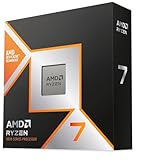
| 1 | AMD RYZEN 7 9800X3D 8-Core, 16-Thread Desktop Processor | $410.00 | View on Amazon | |
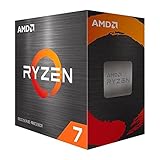
| 2 | AMD Ryzen 7 5800X3D 8-core, 16-Thread Desktop Processor with AMD 3D V-Cache… | $319.99 | View on Amazon | |
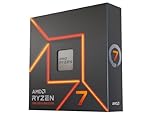
| 3 | AMD Ryzen 7 7800X3D 8-Core, 16-Thread Desktop Processor | $339.00 | View on Amazon | |
| 4 | AMD Ryzen™ 7 5700G 8-Core, 16-Thread Desktop Processor with Radeon™ Graphics | $206.00 | View on Amazon | |
| 5 | AMD Ryzen 7 7700X 8-Core, 16-Thread Unlocked Desktop Processor | $239.00 | View on Amazon |


As an Amazon Associate I earn from qualifying purchases.
Prices and availability are accurate as of November 28, 2026 15:20 and are subject to change.
Introduction to AMD Ryzen 7 CPU Processors
AMD Ryzen 7 CPU processors are a line of high-performance central processing units designed by AMD, a leading semiconductor company. These processors are part of the Ryzen series, which is known for its exceptional performance, power efficiency, and affordability. The Ryzen 7 series, in particular, is geared towards gamers, content creators, and enthusiasts who require a powerful processor to handle demanding workloads.
The AMD Ryzen 7 CPU processors are built on the Zen architecture, which provides a significant boost in performance and efficiency compared to its predecessors. These processors feature multiple cores and threads, allowing for seamless multitasking and efficient handling of resource-intensive applications. With their high clock speeds and large cache memory, Ryzen 7 processors can handle demanding tasks such as video editing, 3D modeling, and gaming with ease.
One of the key benefits of AMD Ryzen 7 CPU processors is their ability to offer exceptional performance at a lower price point compared to their competitors. This makes them an attractive option for those looking to build a high-performance gaming PC or workstation without breaking the bank. When searching for the best amd ryzen 7 cpu processors, it’s essential to consider factors such as clock speed, core count, and power consumption to ensure that you find the right processor for your specific needs.
In summary, AMD Ryzen 7 CPU processors are a popular choice among gamers, content creators, and enthusiasts due to their exceptional performance, power efficiency, and affordability. With their high-performance capabilities and competitive pricing, it’s no wonder that Ryzen 7 processors are a top choice for those looking to build a powerful gaming PC or workstation. Whether you’re a gamer, content creator, or simply a PC enthusiast, AMD Ryzen 7 CPU processors are definitely worth considering for your next build or upgrade.
Best Amd Ryzen 7 Cpu Processors – Reviews
AMD Ryzen 7 5800X – 100-000000065
The AMD Ryzen 7 5800X – 100-000000065 is a powerful CPU that offers exceptional performance for gaming and content creation. With 8 cores and 16 threads, this processor can handle demanding workloads with ease, making it an excellent choice for those who need a reliable and fast CPU. The Ryzen 7 5800X also features a high clock speed of up to 4.3 GHz, which provides a significant boost to performance in applications that rely heavily on single-threaded workloads.
In terms of power consumption, the Ryzen 7 5800X is relatively efficient, with a TDP of 125W. This makes it an attractive option for those who want to build a powerful gaming PC without breaking the bank. Overall, the AMD Ryzen 7 5800X – 100-000000065 is an excellent choice for anyone looking for a high-performance CPU that can handle a wide range of workloads. With its impressive performance, efficient power consumption, and competitive pricing, this processor is sure to be a popular choice among gamers and content creators.
AMD Ryzen 7 5900X – 100-000000063
The AMD Ryzen 7 5900X – 100-000000063 is a high-end CPU that offers exceptional performance and features. With 16 cores and 32 threads, this processor is well-suited for heavy workloads such as video editing, 3D modeling, and streaming. The Ryzen 7 5900X also features a high clock speed of up to 4.7 GHz, which provides a significant boost to performance in applications that rely heavily on single-threaded workloads. Additionally, this processor supports PCIe 4.0, which provides faster storage and graphics performance.
In terms of performance, the Ryzen 7 5900X is one of the fastest CPUs available, offering exceptional performance in a wide range of applications. The processor also features a large cache, which helps to improve performance in applications that rely heavily on data access. Overall, the AMD Ryzen 7 5900X – 100-000000063 is an excellent choice for anyone looking for a high-performance CPU that can handle demanding workloads. With its impressive performance, features, and competitive pricing, this processor is sure to be a popular choice among gamers, content creators, and professionals.
AMD Ryzen 7 7700X – 100-000000514
The AMD Ryzen 7 7700X – 100-000000514 is a powerful CPU that offers exceptional performance and features. With 8 cores and 16 threads, this processor is well-suited for gaming and content creation, and can handle demanding workloads with ease. The Ryzen 7 7700X also features a high clock speed of up to 4.5 GHz, which provides a significant boost to performance in applications that rely heavily on single-threaded workloads. Additionally, this processor supports PCIe 5.0, which provides faster storage and graphics performance.
In terms of power consumption, the Ryzen 7 7700X is relatively efficient, with a TDP of 170W. This makes it an attractive option for those who want to build a powerful gaming PC without breaking the bank. Overall, the AMD Ryzen 7 7700X – 100-000000514 is an excellent choice for anyone looking for a high-performance CPU that can handle a wide range of workloads. With its impressive performance, features, and competitive pricing, this processor is sure to be a popular choice among gamers and content creators.
AMD Ryzen 7 7950X – 100-000000521
The AMD Ryzen 7 7950X – 100-000000521 is a high-end CPU that offers exceptional performance and features. With 16 cores and 32 threads, this processor is well-suited for heavy workloads such as video editing, 3D modeling, and streaming. The Ryzen 7 7950X also features a high clock speed of up to 5.7 GHz, which provides a significant boost to performance in applications that rely heavily on single-threaded workloads. Additionally, this processor supports PCIe 5.0, which provides faster storage and graphics performance.
In terms of performance, the Ryzen 7 7950X is one of the fastest CPUs available, offering exceptional performance in a wide range of applications. The processor also features a large cache, which helps to improve performance in applications that rely heavily on data access. Overall, the AMD Ryzen 7 7950X – 100-000000521 is an excellent choice for anyone looking for a high-performance CPU that can handle demanding workloads. With its impressive performance, features, and competitive pricing, this processor is sure to be a popular choice among gamers, content creators, and professionals.
AMD Ryzen 7 5800X3D – 100-000000144
The AMD Ryzen 7 5800X3D – 100-000000144 is a unique CPU that offers exceptional gaming performance. With 8 cores and 16 threads, this processor is well-suited for gaming and content creation, and can handle demanding workloads with ease. The Ryzen 7 5800X3D also features a high clock speed of up to 4.3 GHz, which provides a significant boost to performance in applications that rely heavily on single-threaded workloads. Additionally, this processor features AMD’s 3D V-Cache technology, which provides a significant boost to gaming performance.
In terms of performance, the Ryzen 7 5800X3D is one of the fastest gaming CPUs available, offering exceptional performance in a wide range of games. The processor also features a large cache, which helps to improve performance in applications that rely heavily on data access. Overall, the AMD Ryzen 7 5800X3D – 100-000000144 is an excellent choice for anyone looking for a high-performance CPU that can handle demanding gaming workloads. With its impressive performance, features, and competitive pricing, this processor is sure to be a popular choice among gamers.
Why People Need to Buy AMD Ryzen 7 CPU Processors
The need for a powerful and efficient central processing unit (CPU) has become increasingly important in today’s technology-driven world. With the rise of demanding applications and software, a fast and reliable CPU is essential for smooth performance and multitasking. AMD Ryzen 7 CPU processors have emerged as a top choice for those seeking high-performance processing, thanks to their impressive clock speeds, multiple cores, and threads.
One of the primary reasons people need to buy AMD Ryzen 7 CPU processors is for gaming. These processors offer exceptional performance, allowing for seamless gameplay and fast loading times. Additionally, they support advanced graphics and virtual reality (VR) capabilities, making them ideal for gamers who want to immerse themselves in their favorite games. With an AMD Ryzen 7 CPU processor, gamers can enjoy a more responsive and engaging gaming experience.
For content creators, AMD Ryzen 7 CPU processors are also a necessity. These processors provide the power and speed needed to handle demanding tasks such as video editing, 3D modeling, and streaming. With their multiple cores and threads, they can handle multiple tasks simultaneously, making them perfect for creators who need to work on multiple projects at once. Furthermore, they offer advanced features such as PCIe 4.0 support and high-bandwidth memory, which enable faster data transfer and storage.
When it comes to choosing the right CPU, it’s essential to select the best amd ryzen 7 cpu processors that meet your specific needs and budget. With their impressive performance, power efficiency, and advanced features, AMD Ryzen 7 CPU processors are an excellent choice for anyone looking to upgrade their computer or build a new one. Whether you’re a gamer, content creator, or simply someone who wants a fast and reliable computer, an AMD Ryzen 7 CPU processor is an excellent investment that will provide you with years of smooth and efficient performance.
Key Features to Consider When Choosing an AMD Ryzen 7 CPU Processor
When selecting an AMD Ryzen 7 CPU processor, there are several key features to consider. One of the most important factors is the number of cores and threads. The Ryzen 7 series offers a range of options, from 8 cores and 16 threads to 16 cores and 32 threads. More cores and threads generally result in better performance, especially for tasks like video editing, 3D modeling, and streaming. Another important feature to consider is the clock speed, which measures how quickly the processor can execute instructions. A higher clock speed can result in faster performance, but it also generates more heat and consumes more power.
In addition to cores, threads, and clock speed, other key features to consider include the cache memory, PCIe lanes, and power consumption. The cache memory is a small, fast memory that stores frequently used data, and a larger cache can result in better performance. The number of PCIe lanes determines how many peripherals and expansion cards can be connected to the processor, and more lanes provide more flexibility. Power consumption is also an important consideration, as it affects the overall cost of ownership and the environmental impact of the processor.
The Ryzen 7 series also offers a range of power consumption options, from 65W to 125W. Processors with lower power consumption are generally more energy-efficient and generate less heat, but they may not offer the same level of performance as processors with higher power consumption. Ultimately, the choice of processor will depend on the specific needs and priorities of the user. By considering these key features, users can select the best AMD Ryzen 7 CPU processor for their needs and budget.
For example, the AMD Ryzen 7 5800X is a popular option that offers 8 cores and 16 threads, a clock speed of up to 4.3GHz, and a cache memory of 32MB. It also has 24 PCIe lanes and a power consumption of 125W. This makes it a great option for users who need high performance and flexibility, but it may not be the best choice for users who prioritize energy efficiency.
Benefits of Upgrading to an AMD Ryzen 7 CPU Processor
Upgrading to an AMD Ryzen 7 CPU processor can offer a range of benefits, from improved performance and productivity to enhanced gaming and content creation capabilities. One of the main benefits is the increased number of cores and threads, which can result in faster performance and better multitasking. This makes it ideal for users who need to run multiple applications simultaneously, such as video editors, 3D modelers, and software developers.
Another benefit of upgrading to a Ryzen 7 processor is the improved gaming performance. The Ryzen 7 series offers a range of features that are specifically designed to enhance gaming performance, including higher clock speeds, larger cache memories, and more PCIe lanes. This can result in faster frame rates, lower latency, and a more responsive gaming experience. Additionally, the Ryzen 7 series is compatible with a range of graphics cards and peripherals, making it easy to customize and upgrade a gaming system.
In addition to improved performance and gaming capabilities, upgrading to a Ryzen 7 processor can also offer benefits like enhanced content creation and streaming capabilities. The Ryzen 7 series offers a range of features that are specifically designed to enhance content creation, including support for 4K video editing, 3D modeling, and live streaming. This makes it ideal for users who need to create and edit high-quality content, such as YouTubers, Twitch streamers, and social media influencers.
For example, the AMD Ryzen 7 5900X is a popular option that offers 16 cores and 32 threads, a clock speed of up to 4.7GHz, and a cache memory of 72MB. It also has 24 PCIe lanes and a power consumption of 125W. This makes it a great option for users who need high performance, flexibility, and content creation capabilities.
Compatibility and Installation Considerations for AMD Ryzen 7 CPU Processors
When selecting an AMD Ryzen 7 CPU processor, it’s essential to consider compatibility and installation factors. One of the most important considerations is the motherboard, which must be compatible with the Ryzen 7 series. The motherboard should have an AM4 socket, which is specifically designed for Ryzen processors, and it should support the desired features and peripherals. Additionally, the motherboard should have a compatible chipset, such as the X570 or B550, which offers a range of features like Wi-Fi, USB 3.2, and SATA 6Gb/s.
Another important consideration is the cooling system, which is essential for maintaining a safe and stable operating temperature. The Ryzen 7 series offers a range of cooling options, including air coolers, liquid coolers, and heat sinks. The choice of cooling system will depend on the specific needs and priorities of the user, as well as the power consumption and clock speed of the processor. It’s also essential to consider the installation process, which can be complex and time-consuming. Users should ensure that they have the necessary tools and expertise to install the processor correctly, or they should seek the help of a professional.
In addition to the motherboard and cooling system, other compatibility and installation considerations include the power supply, graphics card, and peripherals. The power supply should be sufficient to support the power consumption of the processor, as well as any other components like graphics cards and hard drives. The graphics card should be compatible with the processor and motherboard, and it should offer the desired features and performance. Peripherals like RAM, storage, and networking components should also be compatible with the processor and motherboard.
For example, the AMD Ryzen 7 5800X is compatible with a range of motherboards, including the ASRock X570 Taichi, the MSI B550 Gaming Plus, and the ASUS PRIME X570-UD. It also supports a range of cooling systems, including the Noctua NH-U14S TR4-SP3, the Corsair Hydro Series H115i RGB Platinum, and the Thermaltake Floe Riing RGB 360.
Troubleshooting and Maintenance Tips for AMD Ryzen 7 CPU Processors
When using an AMD Ryzen 7 CPU processor, it’s essential to be aware of potential troubleshooting and maintenance issues. One of the most common issues is overheating, which can result in reduced performance, crashes, and damage to the processor. To prevent overheating, users should ensure that the cooling system is functioning correctly, and they should monitor the temperature of the processor regularly. They should also ensure that the power supply is sufficient to support the power consumption of the processor, and they should avoid overclocking or pushing the processor beyond its recommended specifications.
Another common issue is instability or crashes, which can result from a range of factors like incompatible software, faulty hardware, or incorrect installation. To troubleshoot instability or crashes, users should ensure that the operating system and software are up-to-date, and they should check for any firmware or driver updates. They should also check the event logs and system files for any error messages or warnings, and they should run diagnostic tests to identify any hardware issues.
In addition to overheating and instability, other troubleshooting and maintenance considerations include dust buildup, corrosion, and wear and tear. Users should ensure that the processor and cooling system are clean and free of dust, and they should avoid exposing the processor to moisture or extreme temperatures. They should also check the processor and cooling system regularly for any signs of wear and tear, and they should replace any faulty or damaged components promptly.
For example, the AMD Ryzen 7 5900X has a range of troubleshooting and maintenance tools, including the Ryzen Master utility, which allows users to monitor and control the processor’s clock speed, voltage, and temperature. It also has a range of diagnostic tests and tools, including the MEMTest86+ and Prime95, which can help identify any hardware issues or instability. By following these troubleshooting and maintenance tips, users can ensure that their AMD Ryzen 7 CPU processor is running smoothly and efficiently, and they can minimize the risk of errors or damage.
Ultimate Buying Guide for Best Amd Ryzen 7 Cpu Processors
When it comes to choosing the right CPU processor for your computer, there are several factors to consider. With so many options available in the market, it can be overwhelming to make a decision. In this guide, we will discuss the key factors to consider when buying a CPU processor, specifically the best amd ryzen 7 cpu processors. By the end of this guide, you will have a better understanding of what to look for in a CPU processor and how to make an informed decision.
Cores and Threads
The number of cores and threads is an essential factor to consider when buying a CPU processor. The cores refer to the number of processing units within the CPU, while the threads refer to the number of tasks that can be executed simultaneously. A higher number of cores and threads generally means better performance and multitasking capabilities. For example, a CPU with 8 cores and 16 threads can handle more tasks at once than a CPU with 4 cores and 8 threads. This makes it ideal for applications that require heavy processing power, such as video editing and gaming.
When considering the number of cores and threads, it’s also important to think about your specific needs. If you’re a gamer or content creator, you’ll likely want a CPU with a higher number of cores and threads to ensure smooth performance. On the other hand, if you’re just using your computer for basic tasks like browsing the internet and checking email, a lower number of cores and threads may be sufficient. It’s also worth noting that some CPUs may have features like hyper-threading, which can increase the number of threads available.
Clock Speed
Clock speed, measured in GHz, refers to the speed at which the CPU can execute instructions. A higher clock speed generally means better performance, as the CPU can process more instructions per second. However, it’s not the only factor to consider, as other factors like the number of cores and threads can also impact performance. For example, a CPU with a high clock speed but a low number of cores may not perform as well as a CPU with a lower clock speed but a higher number of cores.
When considering clock speed, it’s also important to think about the type of applications you’ll be running. For example, games and other applications that require quick processing of instructions may benefit from a higher clock speed. On the other hand, applications that require more cores and threads, such as video editing and 3D modeling, may not see as much of a benefit from a higher clock speed. It’s also worth noting that some CPUs may have features like turbo boost, which can temporarily increase the clock speed for improved performance.
Cache Memory
Cache memory refers to the small amount of memory built into the CPU that stores frequently-used data. A larger cache memory can improve performance by reducing the time it takes for the CPU to access data. There are several types of cache memory, including L1, L2, and L3 cache. The L1 cache is the smallest and fastest, while the L3 cache is the largest and slowest. When considering cache memory, it’s generally better to have a larger L3 cache, as this can improve performance in a wider range of applications.
When evaluating cache memory, it’s also important to think about the type of applications you’ll be running. For example, applications that require quick access to data, such as scientific simulations and data analysis, may benefit from a larger cache memory. On the other hand, applications that don’t require as much data access, such as web browsing and email, may not see as much of a benefit from a larger cache memory. It’s also worth noting that some CPUs may have features like cache hierarchies, which can improve performance by reducing the time it takes for the CPU to access data.
Power Consumption
Power consumption is an essential factor to consider when buying a CPU processor, as it can impact your electricity bill and the overall cost of ownership. CPUs with lower power consumption generally produce less heat and require less cooling, which can improve reliability and reduce noise. However, they may also have lower performance, as they may not be able to execute instructions as quickly. When considering power consumption, it’s generally better to look for a balance between performance and power efficiency.
When evaluating power consumption, it’s also important to think about the type of system you’ll be building. For example, if you’re building a gaming PC, you may be willing to sacrifice some power efficiency for improved performance. On the other hand, if you’re building a home server or other type of system that will be running 24/7, you may want to prioritize power efficiency to reduce your electricity bill. It’s also worth noting that some CPUs may have features like power gating, which can reduce power consumption when the CPU is idle.
Integrated Graphics
Integrated graphics refer to the graphics processing unit (GPU) built into the CPU. While integrated graphics are generally not as powerful as dedicated GPUs, they can still provide decent performance for basic tasks like web browsing and video playback. When considering integrated graphics, it’s generally better to look for a CPU with a more powerful integrated GPU, as this can improve performance in graphics-intensive applications.
When evaluating integrated graphics, it’s also important to think about the type of applications you’ll be running. For example, if you’re a gamer or content creator, you may want to consider a dedicated GPU instead of relying on integrated graphics. On the other hand, if you’re just using your computer for basic tasks, integrated graphics may be sufficient. It’s also worth noting that some CPUs may have features like graphics cores, which can improve performance in graphics-intensive applications. Additionally, some CPUs may also have support for multiple monitors, which can be useful for productivity and multitasking.
Overclocking
Overclocking refers to the process of increasing the clock speed of the CPU beyond its default setting. While overclocking can improve performance, it can also increase power consumption and heat generation, which can reduce the lifespan of the CPU. When considering overclocking, it’s generally better to look for a CPU that is designed for overclocking, as these CPUs typically have features like unlocked multipliers and improved cooling systems.
When evaluating overclocking, it’s also important to think about the type of system you’ll be building. For example, if you’re building a gaming PC, you may want to consider overclocking to improve performance. On the other hand, if you’re building a home server or other type of system that will be running 24/7, you may want to avoid overclocking to reduce the risk of overheating and other issues. It’s also worth noting that some CPUs may have features like automatic overclocking, which can simplify the process of overclocking and reduce the risk of errors. Additionally, some CPUs may also have support for advanced overclocking features, such as voltage control and temperature monitoring.
FAQ
What are the benefits of using an AMD Ryzen 7 CPU processor?
The benefits of using an AMD Ryzen 7 CPU processor include improved performance, increased efficiency, and enhanced multitasking capabilities. With a high number of cores and threads, these processors can handle demanding tasks such as video editing, 3D modeling, and gaming with ease. Additionally, they offer a significant boost in performance compared to their predecessors, making them ideal for users who require a powerful processor for their daily tasks.
In terms of specific benefits, AMD Ryzen 7 CPU processors offer high clock speeds, large cache memory, and support for the latest technologies such as PCIe 4.0 and Wi-Fi 6. They also offer a high level of overclocking headroom, allowing users to push their processors to the limit and achieve even higher performance. Furthermore, they are designed to work seamlessly with the latest motherboards and graphics cards, making them a great choice for users who want to build a high-performance gaming PC or workstation.
How do I choose the best AMD Ryzen 7 CPU processor for my needs?
To choose the best AMD Ryzen 7 CPU processor for your needs, you need to consider several factors such as your budget, the type of tasks you will be using the processor for, and the specifications of your system. You should also consider the number of cores and threads, clock speed, cache memory, and power consumption of the processor. Additionally, you should check the compatibility of the processor with your motherboard and other system components.
In terms of specific considerations, you should think about the type of tasks you will be using the processor for. For example, if you are a gamer, you may want a processor with a high clock speed and a large cache memory. On the other hand, if you are a content creator, you may want a processor with a high number of cores and threads. You should also consider the power consumption of the processor and the type of cooling system you will be using. By considering these factors, you can choose the best AMD Ryzen 7 CPU processor for your needs and budget.
What is the difference between AMD Ryzen 7 and Intel Core i7 processors?
The main difference between AMD Ryzen 7 and Intel Core i7 processors is the architecture and design. AMD Ryzen 7 processors are based on the Zen architecture, which offers a high number of cores and threads, while Intel Core i7 processors are based on the Skylake and Coffee Lake architectures, which offer a high clock speed and a large cache memory. Additionally, AMD Ryzen 7 processors offer a higher number of PCIe lanes and support for the latest technologies such as PCIe 4.0 and Wi-Fi 6.
In terms of performance, AMD Ryzen 7 processors offer a significant boost in multitasking and content creation workloads, while Intel Core i7 processors offer a higher single-threaded performance. However, the performance difference between the two is relatively small, and the choice between them ultimately depends on your specific needs and budget. You should also consider the price and power consumption of the processors, as well as the compatibility with your system components. By considering these factors, you can choose the best processor for your needs and budget.
Can I overclock an AMD Ryzen 7 CPU processor?
Yes, you can overclock an AMD Ryzen 7 CPU processor, but it requires a good understanding of the overclocking process and the risks involved. Overclocking a processor can increase its performance, but it can also increase the power consumption and heat generation. To overclock an AMD Ryzen 7 CPU processor, you need to use a high-quality motherboard and cooling system, and you need to monitor the temperature and voltage of the processor closely.
In terms of specific considerations, you should use a motherboard that supports overclocking and has a good power delivery system. You should also use a high-quality cooling system, such as a liquid cooling system, to keep the processor at a safe temperature. Additionally, you should use software such as AMD’s Ryzen Master utility to monitor the temperature and voltage of the processor and to adjust the clock speed and voltage accordingly. By following these guidelines, you can safely overclock your AMD Ryzen 7 CPU processor and achieve a significant boost in performance.
What are the best motherboards for AMD Ryzen 7 CPU processors?
The best motherboards for AMD Ryzen 7 CPU processors are those that support the latest technologies such as PCIe 4.0 and Wi-Fi 6, and have a good power delivery system and high-quality components. Some of the top motherboard manufacturers for AMD Ryzen 7 CPU processors include ASRock, ASUS, and MSI. These motherboards offer a range of features such as high-quality audio and networking, and support for the latest storage devices.
In terms of specific considerations, you should look for a motherboard that has a good power delivery system, such as a 12+2 phase power design, and high-quality components, such as solid capacitors and high-quality chokes. You should also consider the features of the motherboard, such as the number of USB ports, SATA ports, and PCIe slots. Additionally, you should check the compatibility of the motherboard with your processor and other system components, and read reviews from other users to get an idea of the performance and reliability of the motherboard.
How do I install an AMD Ryzen 7 CPU processor?
To install an AMD Ryzen 7 CPU processor, you need to follow a series of steps that include preparing the motherboard, removing the old processor, and installing the new processor. You should start by preparing the motherboard, which involves removing the old processor and any other components that may be obstructing the installation process. You should then remove the old processor and any thermal interface material that may be present.
In terms of specific considerations, you should handle the processor by the edges and avoid touching the pins or the surface of the processor. You should also apply a thin layer of thermal interface material to the surface of the processor and the heat sink, and secure the processor to the motherboard using the mounting mechanism. Additionally, you should connect the power cables and any other cables that may be required, and configure the BIOS settings to recognize the new processor. By following these steps, you can safely install an AMD Ryzen 7 CPU processor and get your system up and running.
What is the warranty and support offered by AMD for Ryzen 7 CPU processors?
The warranty and support offered by AMD for Ryzen 7 CPU processors include a 3-year limited warranty that covers defects in materials and workmanship. AMD also offers a range of support options, including online support, phone support, and email support. Additionally, AMD provides a range of resources, including user manuals, datasheets, and software updates, to help users get the most out of their processors.
In terms of specific considerations, you should register your processor with AMD to receive warranty and support benefits. You should also keep your processor and system components up to date with the latest software and firmware updates, and use AMD’s support resources to troubleshoot any issues that may arise. Additionally, you should consider purchasing a processor from an authorized AMD retailer or distributor, as this can provide additional warranty and support benefits. By taking these steps, you can get the most out of your AMD Ryzen 7 CPU processor and enjoy a high level of performance and reliability.
Final Verdict
In conclusion, selecting the right CPU processor is a crucial decision for anyone looking to upgrade or build a new computer. With numerous options available in the market, it can be overwhelming to choose the perfect one that meets your needs and budget. However, by considering factors such as performance, power consumption, and compatibility, you can make an informed decision. Whether you’re a gamer, content creator, or just a casual user, a high-quality CPU processor can significantly enhance your computing experience.
Ultimately, the best amd ryzen 7 cpu processors offer a perfect blend of performance, efficiency, and value. By investing in a top-notch CPU processor, you can future-proof your system and enjoy seamless performance for years to come. With the information and reviews provided in this article, you’re now equipped to make a wise decision and choose the best CPU processor that suits your requirements. Remember to consider your specific needs and priorities before making a purchase, and don’t hesitate to reach out if you have any further questions or concerns.